
Go to Settings > Billing to manage your subscription.
- Plan Name & Monthly Cost
- Manage Subscription - Access your subscription portal to update billing details and manage payment methods.
- Upgrade Plan - View available plan upgrades.
Credits
Each plan includes monthly credits that reset every month. Credits are consumed by AI Employee and automations see pricing. In the Credits section, you can:- View balance - See your current credit balance and usage
- Manage Auto Recharge - Configure automatic credit purchases when your balance falls below a threshold. See Auto Recharge Credits for more details
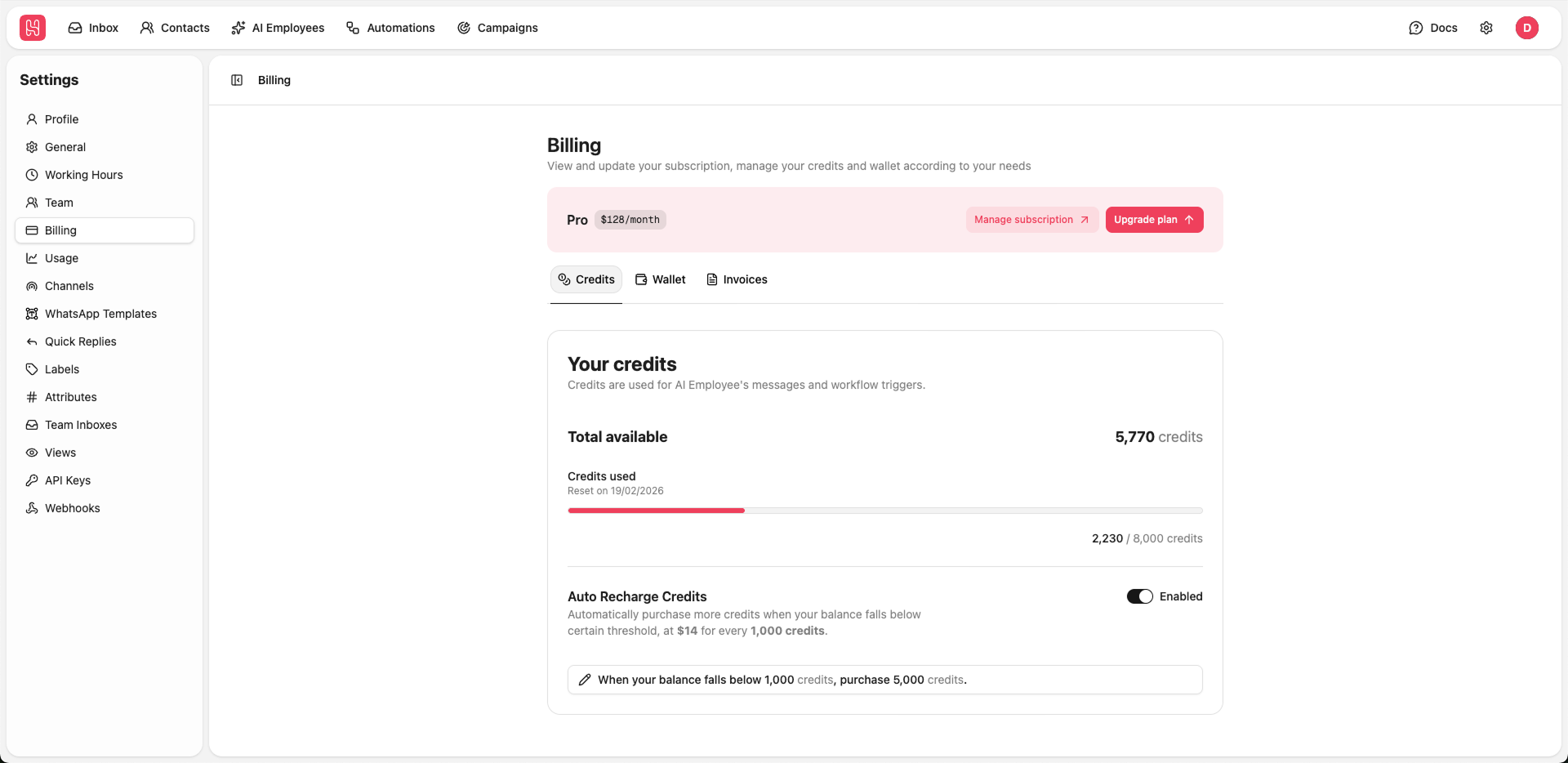
Go to Settings > Billing > Credits to manage your credits.
Auto Recharge Credits
Enable automatic credit purchases when your balance falls below a threshold.Wallet
Your wallet balance is used for paid channel costs (e.g., WhatsApp template message). For full WhatsApp pricing details, see the WhatsApp pricing table. In the Wallet section, you can:- Add funds - Click Add to wallet to immediately add funds to your wallet for use
- View balance - See your current wallet balance displayed in USD
- Manage Auto Recharge - Configure automatic wallet top-ups when your balance falls below a threshold. See Auto Recharge Wallet for more details
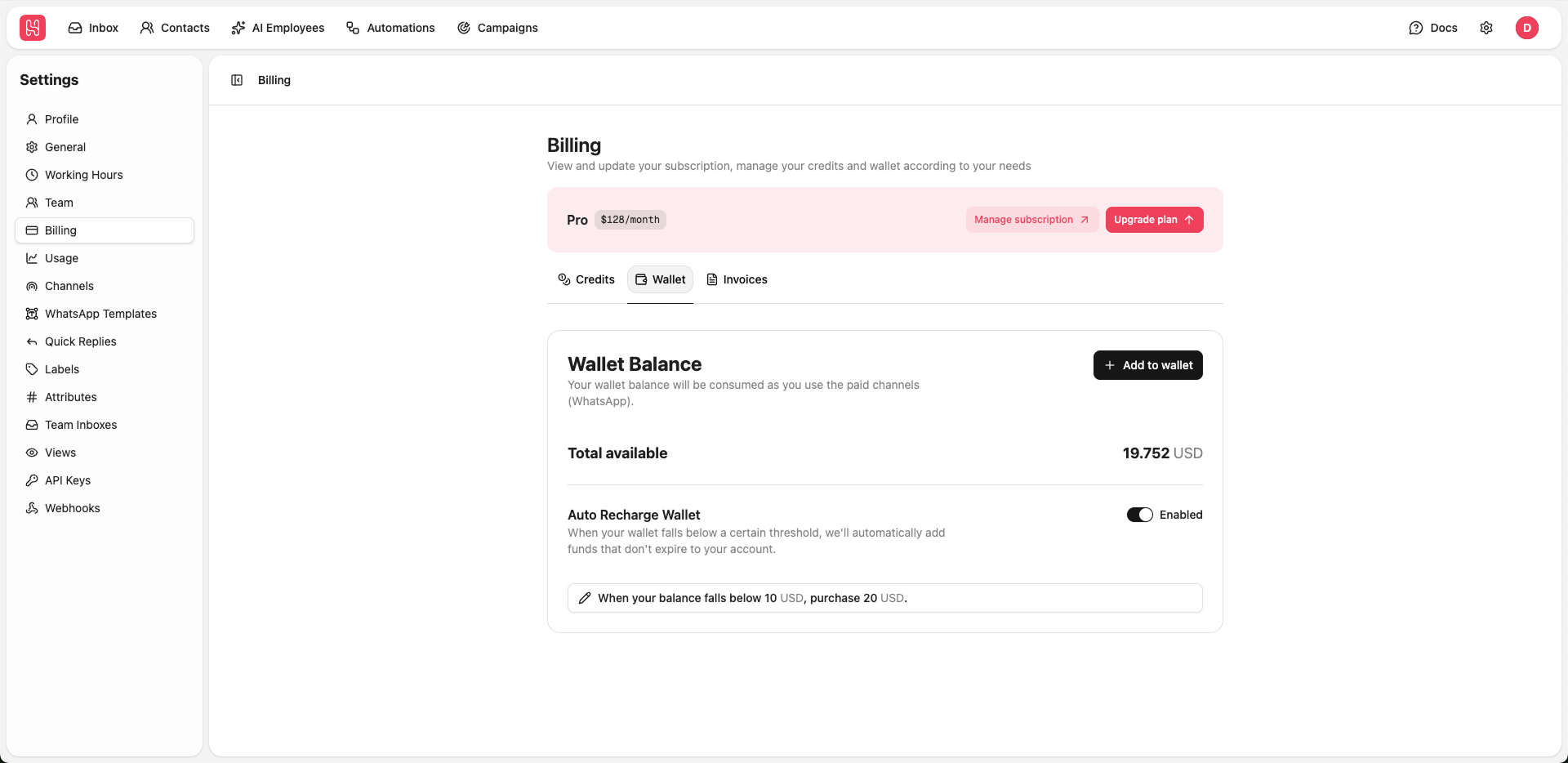
Go to Settings > Billing > Wallet to manage your wallet.
Auto Recharge Wallet
Enable automatic wallet top-ups when your balance falls below a certain threshold.Invoices
View and download your billing history and invoices.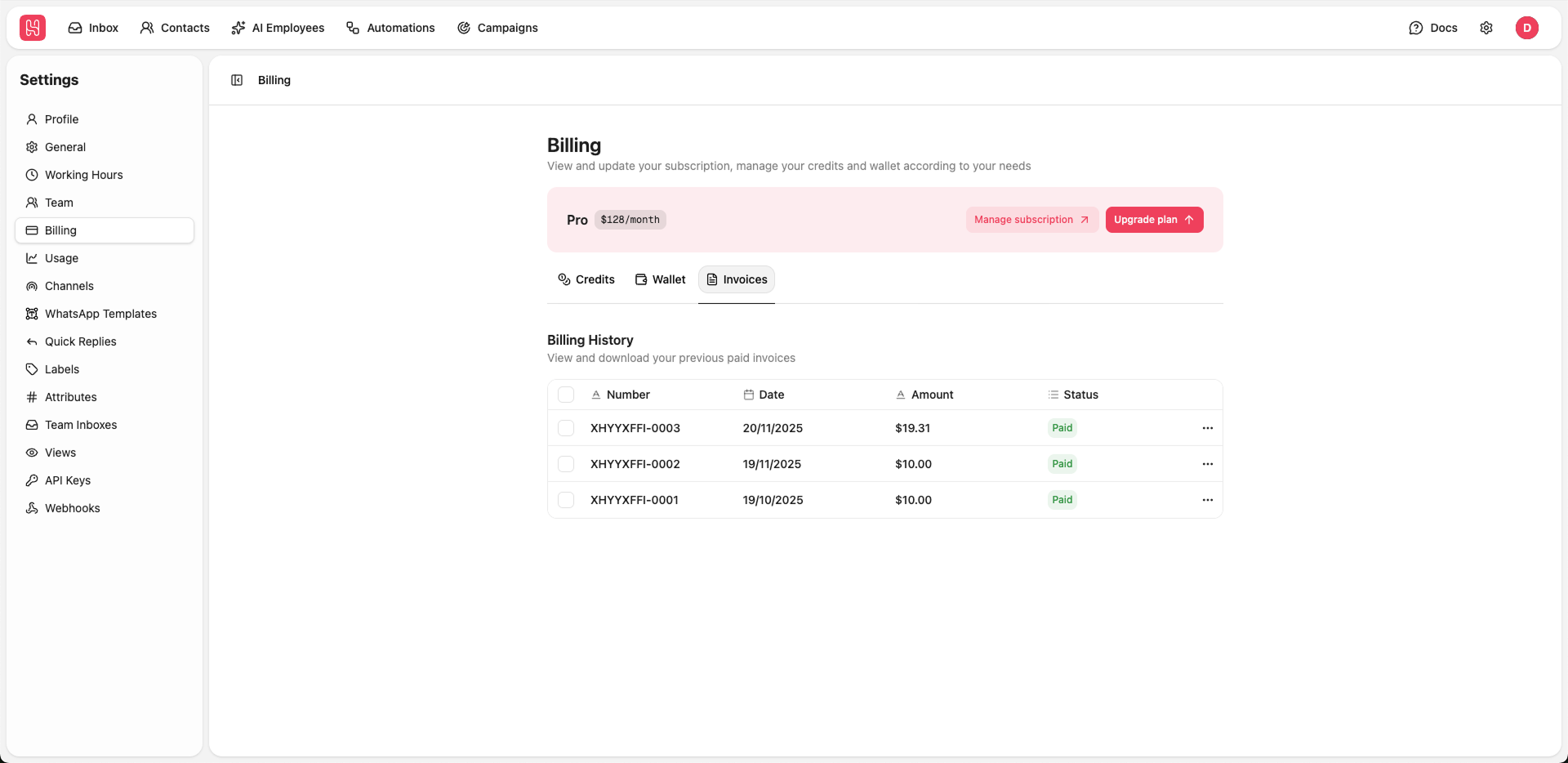
Go to Settings > Billing > Invoices to manage your invoices.
- Number - Invoice reference number
- Date - Invoice date
- Amount - Total amount charged
- Status - Payment status (Paid, Pending, etc.)