
The flow
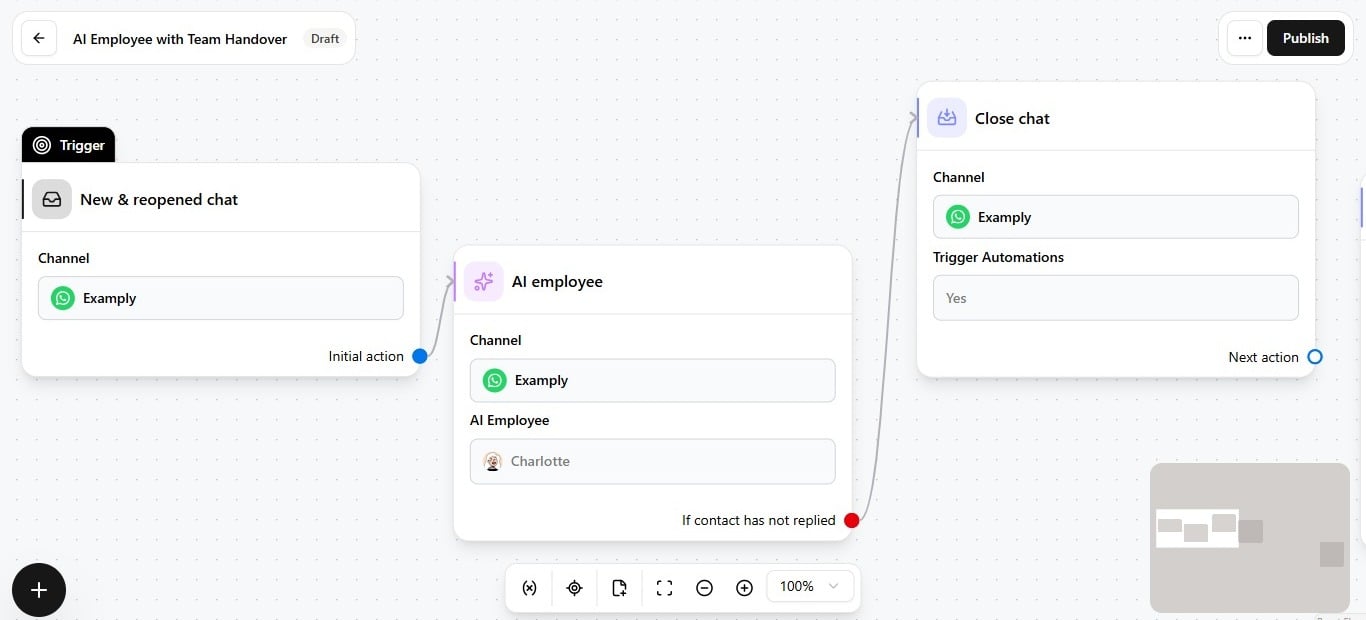
- Trigger fires — for example, a new incoming message on WhatsApp, or a reopened chat.
- Automation runs — the workflow executes its steps for that contact.
- AI Employee action — a node selects the channel, employee, and optional per-automation context.
- Employee replies — using its identity, content, and capabilities to respond in the thread.
- Exit point fires (optional) — when a condition matches, the AI step ends and the automation branches — handoff, close, follow-up, and so on. See Use exit points in automations.
- Next steps — assign chat, notify a teammate, send a message, or close, configured on the branches after the AI Employee node.
What the employee does not control
Before going live
- Configure the employee in AI Employees.
- Test in the Playground and set it live.
- Add the employee to an automation and publish.