
Configure it
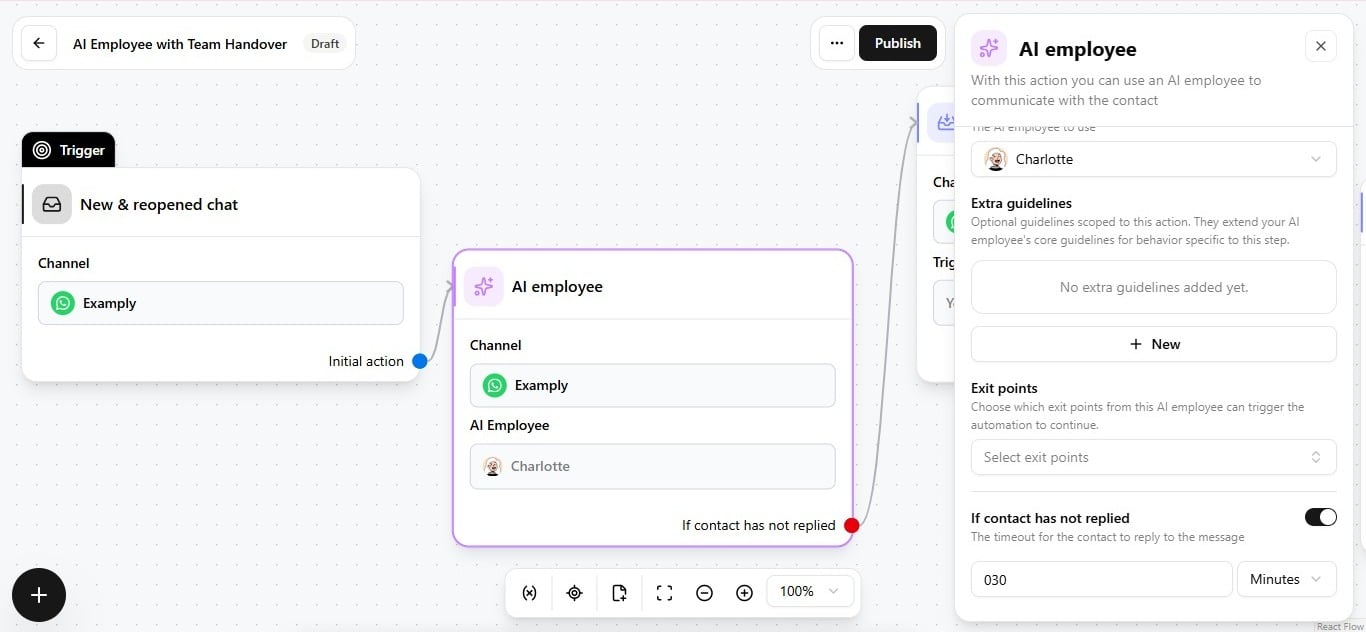
- Open the AI Employee action in the automation editor.
- Set the Reply timeout duration and unit to match your SLA — for example, 30 minutes.
- Connect the timeout branch to whatever should happen next.
What to do when it fires
Fully custom — place the timeout condition wherever it is useful in the flow, and pair it with whatever next step matches your SLA. See Add an AI employee to an automation for how this fits alongside channel selection and exit points on the same action.