PRODUCT UPDATES
September 2026
Message reactions
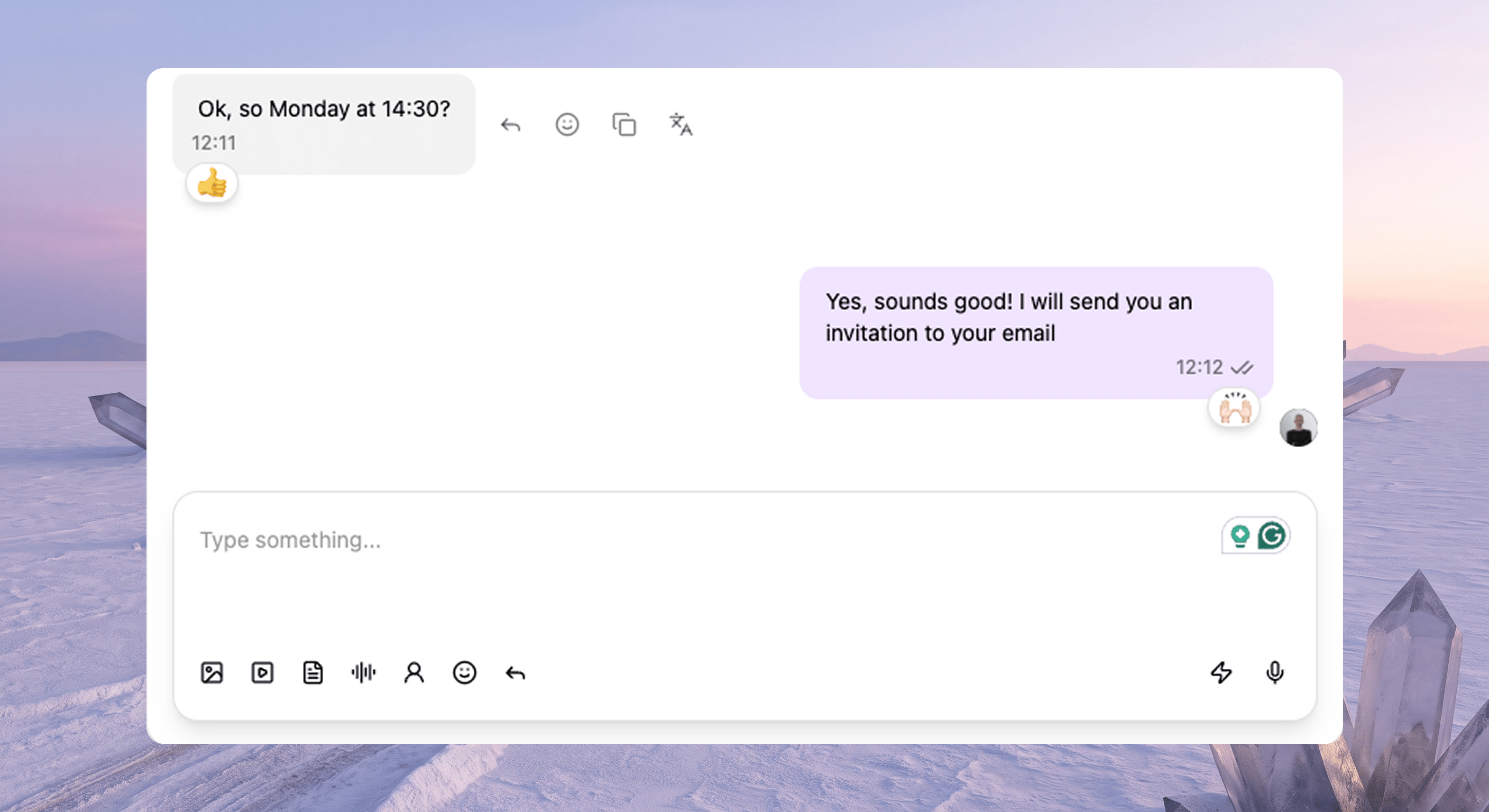
You can now react to a message and remove that reaction from the Heyy inbox on WhatsApp, Instagram, and Messenger. Your customers already send 👍, ❤️, and 😂 on those apps. Until now, your team could not even see them.That’s fixed. A quick reaction is perfect for “got it” or “love this” without another full reply cluttering the thread.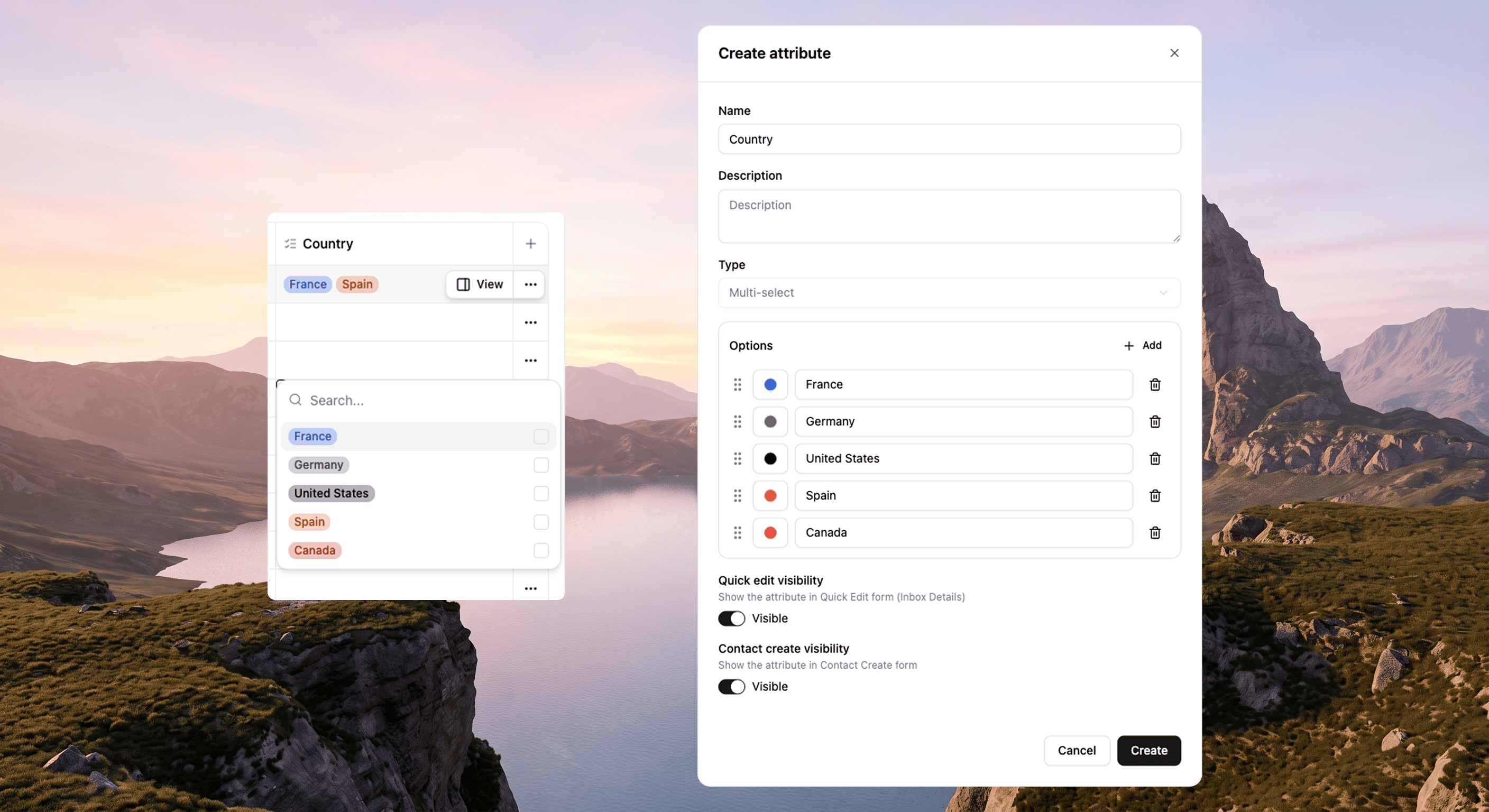
Multi-select contact attribute
Contact attributes can now be multi-select. Add your options (with colors, same as single-select), then pick as many as you need on the contact card, in bulk edit, or in automations. Languages, products, markets, interests. All of it.Filters, conditions, and set/clear attribute steps handle multiple values too, so your next campaign can target everyone who tagged “skincare” without forcing them into one box. See Custom attributes.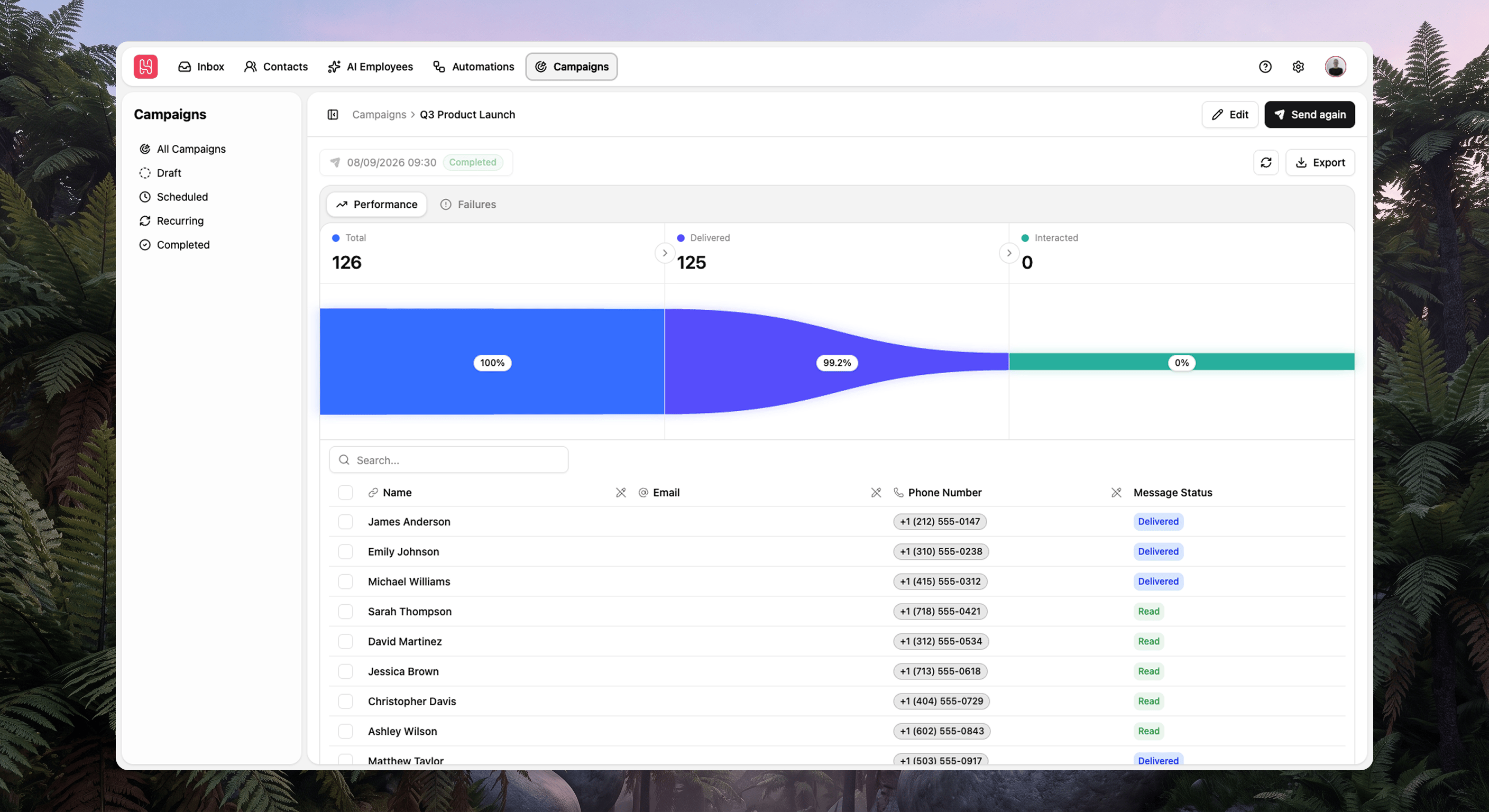
Campaigns 2.0
Campaigns 2.0 brings the full flow into one place: build, review, send, and see what happened. No more jumping between automations, contacts just to send a campaign. You walk through content, audience, and review on WhatsApp or SMS. Each campaign is an automation with a new Campaign message trigger that sets what people get and what happens next (reply, button, list, link, or nothing).Pick your audience three ways: static (hand-picked contacts), dynamic (filters define the list), or file (upload a CSV or Excel; contacts stay in your CRM). Before you hit send, you’ll see estimated credits, audience size, and whether everything is actually ready, including Meta template status.After the send goes out, check the funnel, engagement, replies, and delivery issues in the same place. Ran it more than once? Pick the run you care about. Anyone who unsubscribed stays marked so you don’t message them again.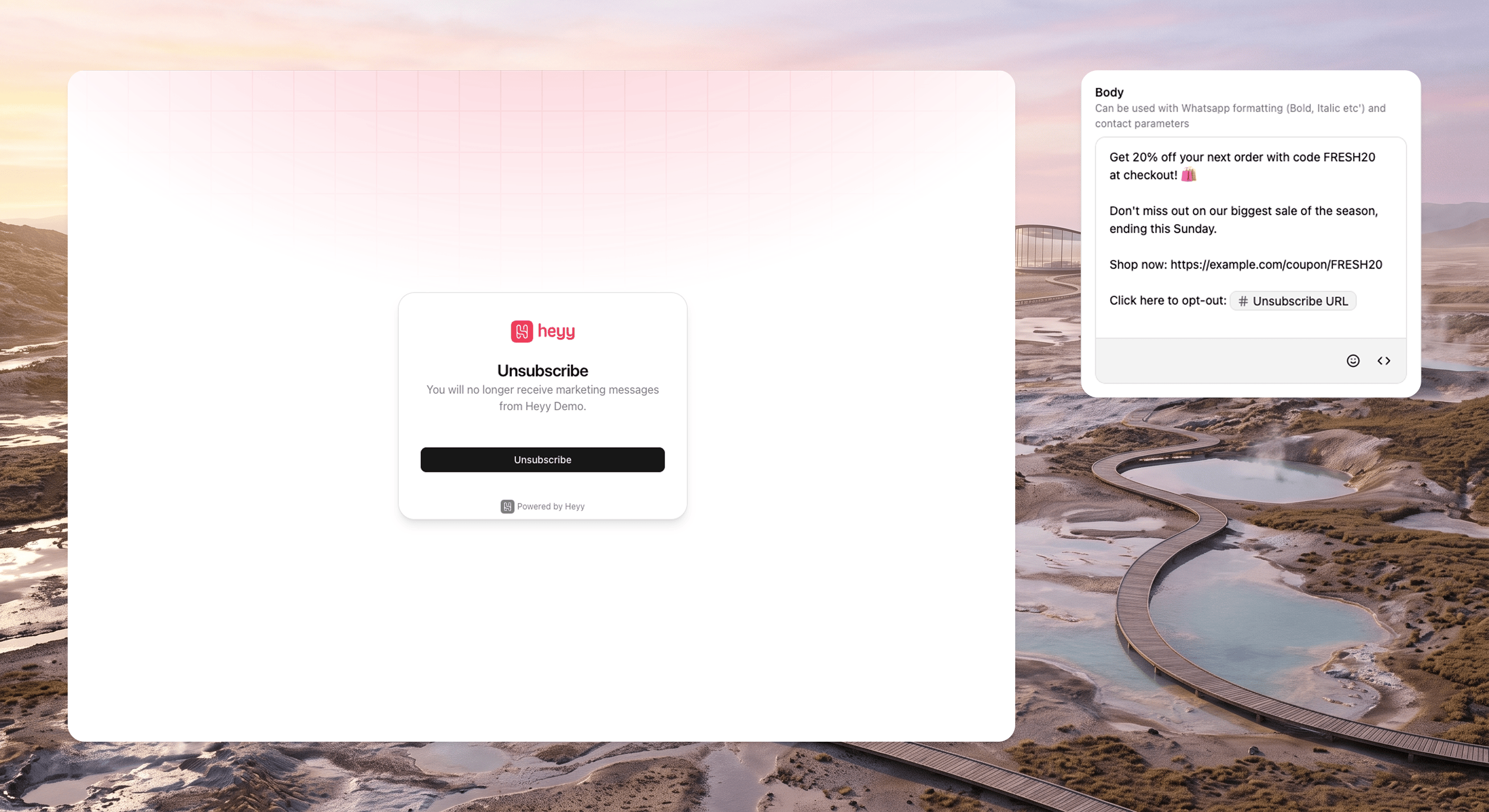
Unsubscribe & preferences
Messages can now include an unsubscribe URL. Your contact opens a hosted Heyy preferences page and opts out of future marketing messages sent from campaigns and journeys. Unsubscribed contacts show up clearly in the inbox and in campaign views, so they won’t get the next send.You handle the relationship and we handle the marketing control. See Contact subscription.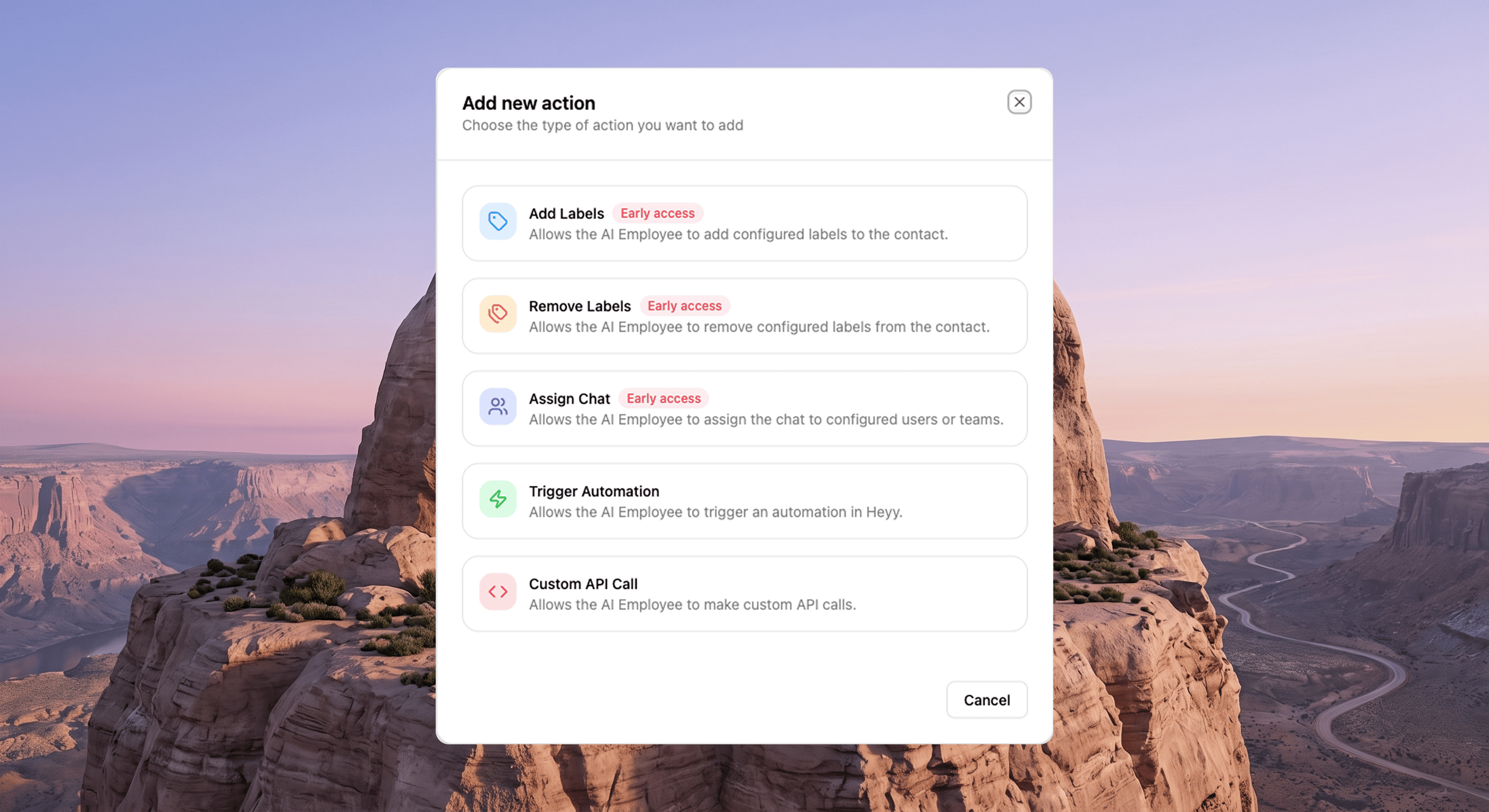
AI employees that label and assign
AI employees can add labels, remove labels, and assign the chat to users or teams you choose. Tell each one when to act, like “add billing when they ask about invoices.” You can even run assignment automations when the employee assigns, so your current routing still kicks in.PRODUCT UPDATES
August 2026
AI exit routes on the canvas
Every exit point on an AI employee now shows up as a branch on the AI Agent node in the automation editor. Haven’t set any yet? You’ll see a clear empty state and a link to add them. Already have them? Connect each branch the way you want.You can reference exit points in guidelines and prompts just like tools and attributes. When a chat ends, the flow can keep going: assign, tag, send, wait. See Use exit points in automations.Override time on date triggers
Date-reached automations follow a contact’s date or datetime attribute. With datetime fields, the stored time used to win every time. A birthday saved as1992-03-12 03:47:18 could trigger a 3:47am WhatsApp nobody wanted.You can now override the time: keep the date from the attribute, pick when it fires in your workspace timezone. Birthdays at 10:00. Renewals at 9:00.Customize the contact card
You can show and hide sections on the contact card and pin what matters (chat data in a thread, contact data on the profile). Labels also get their own dialog instead of being crammed into a corner.Open a chat, see what you need, scroll less. See Contact card.Cancel a message
Delete scheduled message from the inbox while you still can. Wrong thread, wrong timing, variable still blank. Pair it with scheduled sends and that 6pm “quick send” is less likely to become a 6:01 panic message.Fewer “sorry, ignore that” follow-ups.Undo, redo, and tidy up
Automations now have undo, redo, and tidy up. Dragged a node somewhere weird? Undo. Layout got messy? Tidy. Serious workflows, less fragile editing.Heyy on mobile
Heyy on mobile finally feels built for a phone. There’s a bottom bar, sub-navigation, and a user menu that match how you actually move between inbox, the rest of the product, and your account. Chat list, chat view, and header are tuned for thumbs, not a shrunk desktop.You probably won’t build a 40-action long automation on the train. You can answer, assign, and keep a conversation going when the laptop stayed at the office.AI that pauses like a person
Set a response delay with a minimum and maximum, and we’ll pick something random in between before the employee replies. On supported channels, typing indicators still show while they’re composing.Playground stays instant for testing. Live chats can feel like someone read the message and thought for a beat, not like a webhook fired. See Configure employee settings.Send contact cards on WhatsApp
From the inbox or a Send contacts automation step, share one or more WhatsApp contact cards with first name, last name, business name, and phone. Add another, edit, send (up to WhatsApp’s limit per message).Great for intros, field teams, or “talk to this person” without a phone number buried in a text bubble.Fix an AI reply from the inbox
Use Fix response on a message: we grab the customer’s question (and tell you if we can’t), you write the right answer, and it saves as Q&A knowledge for that employee. Original mistake and correction stay in context, right in the thread.The next customer with the same question gets the better answer. See Build a Q&A knowledge base.Chat history that tells the story
The inbox now logs system messages for opens, closes, snoozes, assignments (and unassignments), plus when an AI exit route fired. You’ll see who did it (teammate, automation, API, system, or AI employee) and when.Handovers and audits get a lot easier to follow.You’re offline. We’ll say so.
We now detect when you’re offline and when the connection comes back, and we tell you. Café wifi dropping used to feel like Heyy broke. Now it’s obvious it’s the network, not your data.PRODUCT UPDATES
July 2026
Copy and paste automation steps
Select automation actions and copy / paste them in the same flow or a different one. We’ll tell you how many you copied, and if the browser blocks clipboard access, you’ll get a clear message instead of silence.Duplicate a branch, reuse a send block, spend your time on the interesting parts. See Automations.Typing indicator for AI employees
Turn on a typing indicator per AI employee on channels that support it while they compose. Playground testing stays snappy; live chats show the other person someone is writing.Fewer double messages, fewer “hello, is anyone there?” moments. See Configure employee settings.Heyy API v3
API v3 is live at https://api.heyy.io/v3 with OpenAPI docs for contacts, chats, messages, automations, campaigns, journeys, channels, templates, files, labels, attributes, teams, users, workspaces, and webhooks.Same vocabulary as the product: automation versions, campaign recipients, contact handles. Build integrations without reverse-engineering the old API. See API v3 overview.Override template media
Sending a WhatsApp template from an automation? You can override the header media with an upload or a URL for image, video, or document. Leave it blank to keep the approved default.One approved template, many sends.Top up credits in Billing
Need credits now? Head to Settings → Billing and add 1,000 to 50,000 at a time. You’ll see the dollar total before you confirm. Extra credits join your other grants and don’t expire.Send audio from the inbox
The inbox handles AAC, AMR, MP3, M4A, and OGG like actual audio. Attach, drop, or paste on channels that allow it. Captions and replies work properly, and you get a player in the thread instead of a mystery file namednote.mp3.PRODUCT UPDATES
June 2026
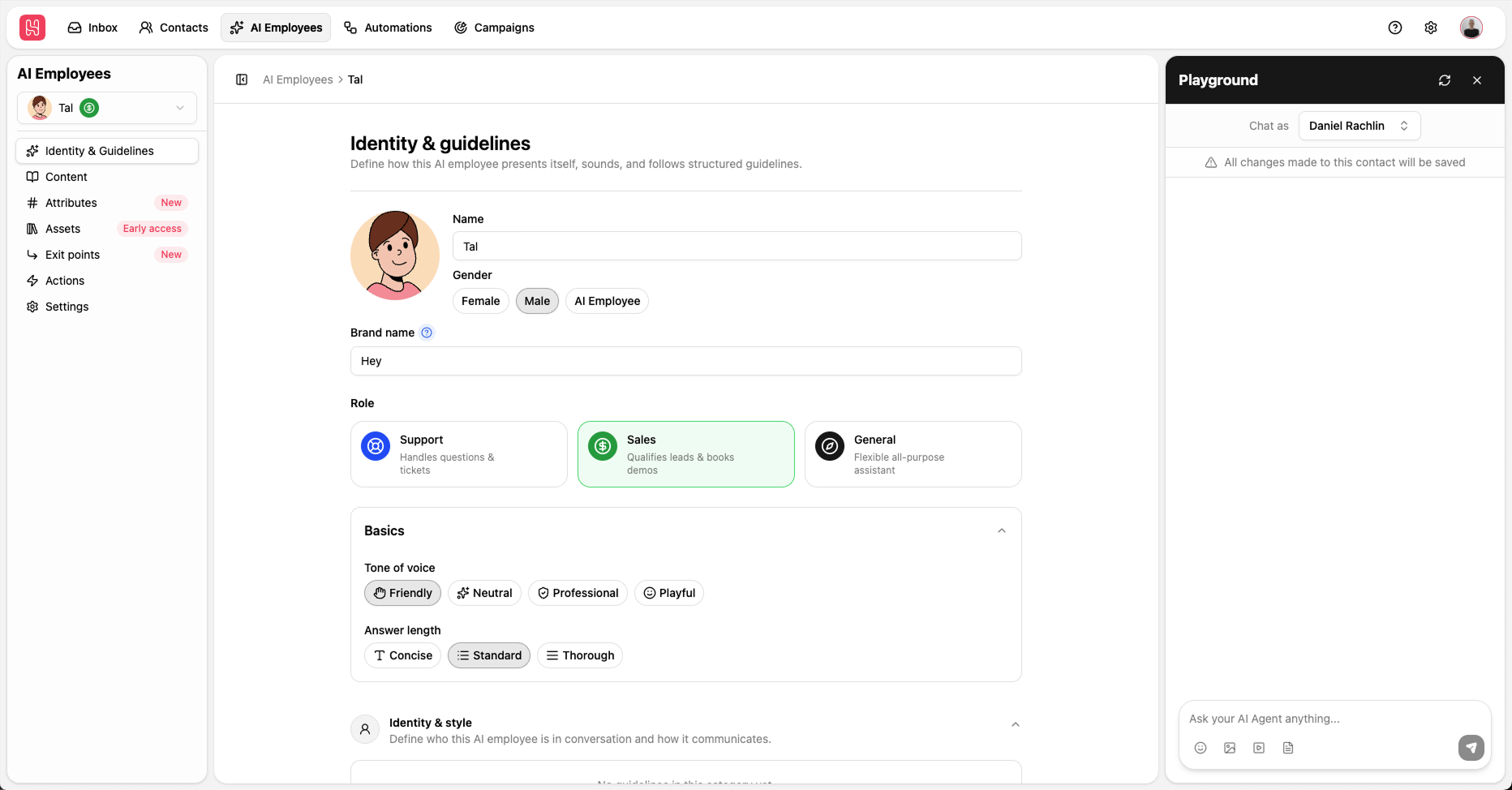
AI Employee v2
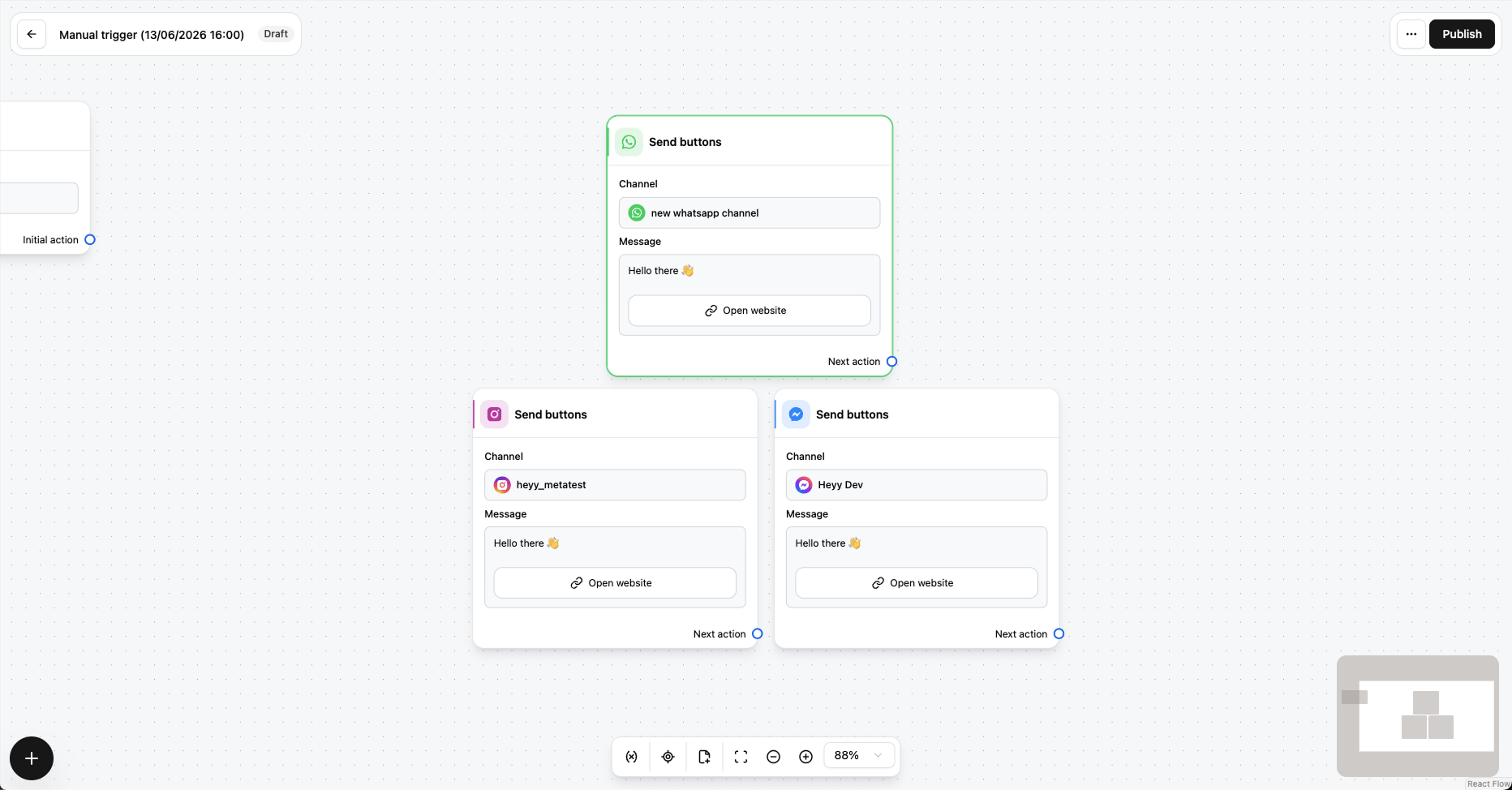
URL buttons for WhatsApp, Instagram, and Facebook
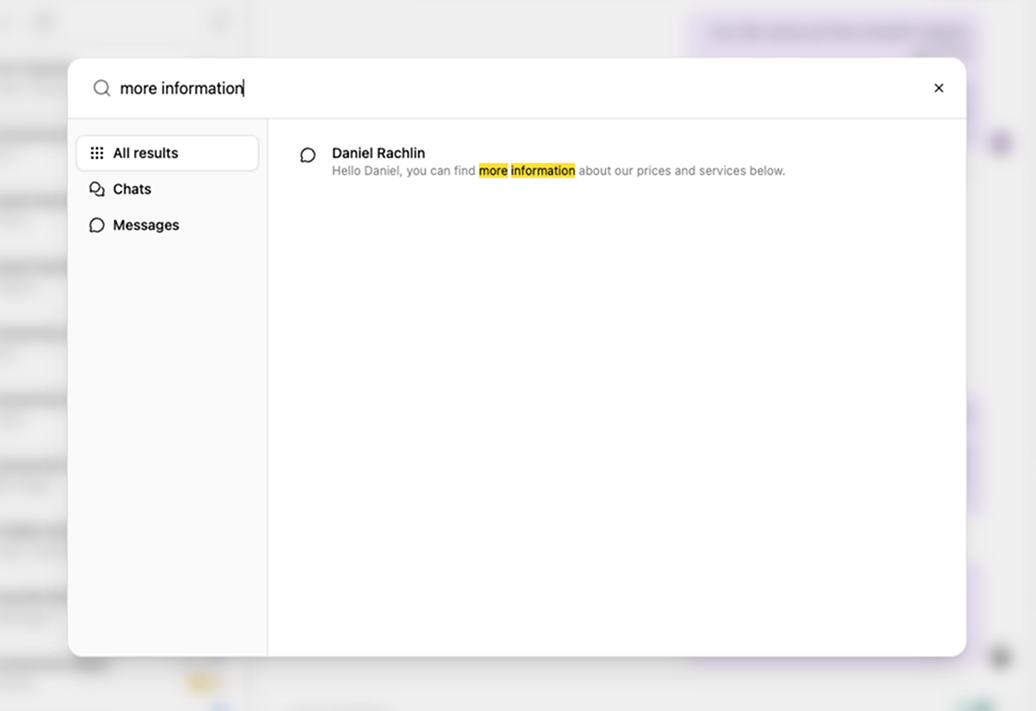
Search by message content
PRODUCT UPDATES
May 2026
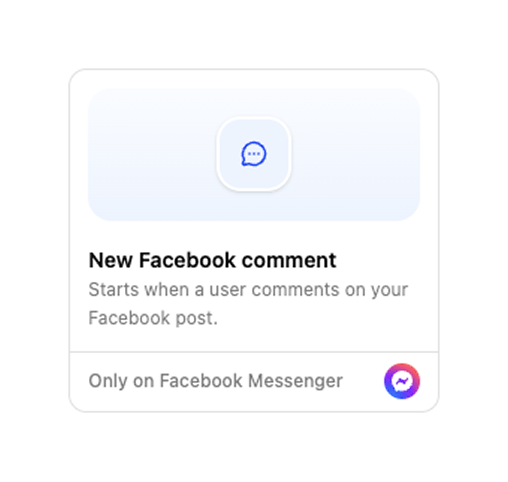
New Facebook comment trigger
Improved new chat dialog
Starting an outbound conversation is smoother with a redesigned New chat dialog: search for a contact by phone or email, quick-add someone new if they are not in Heyy yet, then pick the channel to send from.Keyboard navigation and a clearer From/To layout mean fewer steps and less hunting—right from Inbox. See Start a new chat.Saved inbox views
Build an advanced chat filter once, save it as a view, and return to it from the Inbox sidebar anytime—each view shows its own open and unread counts so workload is visible at a glance.Perfect for VIP queues, channel-specific inboxes, or any slice of conversations your team checks often. See Saved inbox views.PRODUCT UPDATES
April 2026
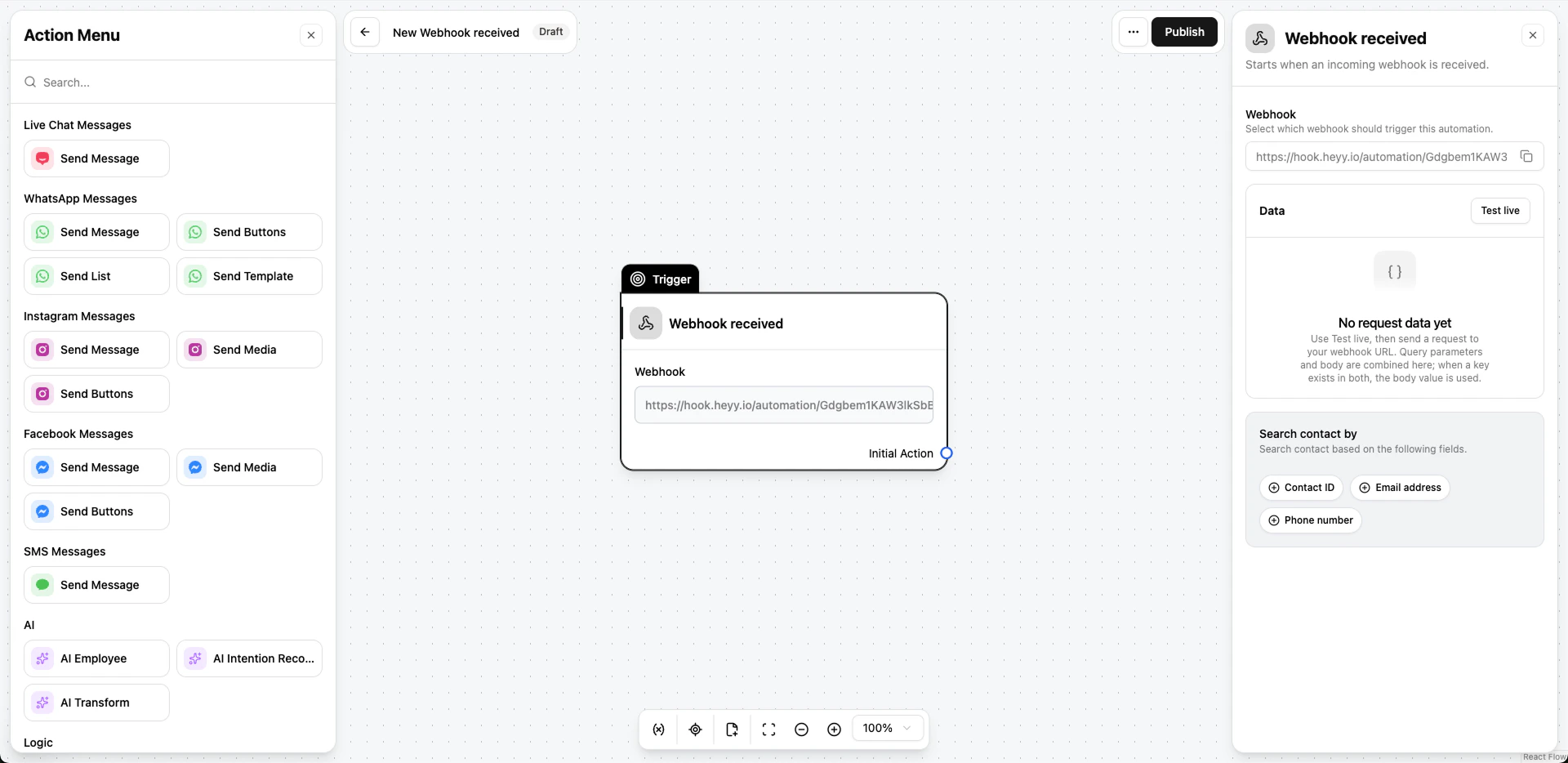
Webhook received trigger
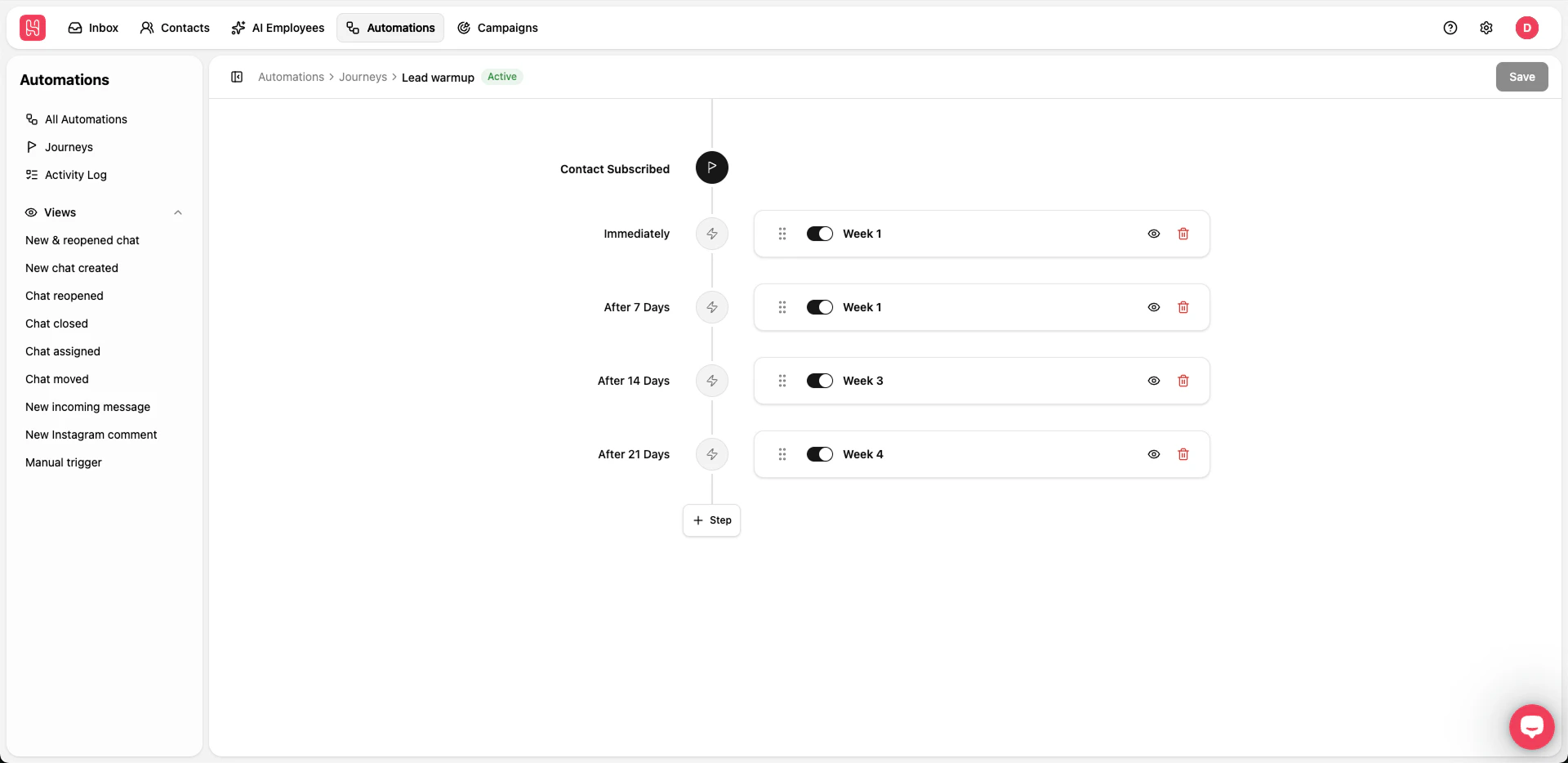
Journeys
PRODUCT UPDATES
March 2026
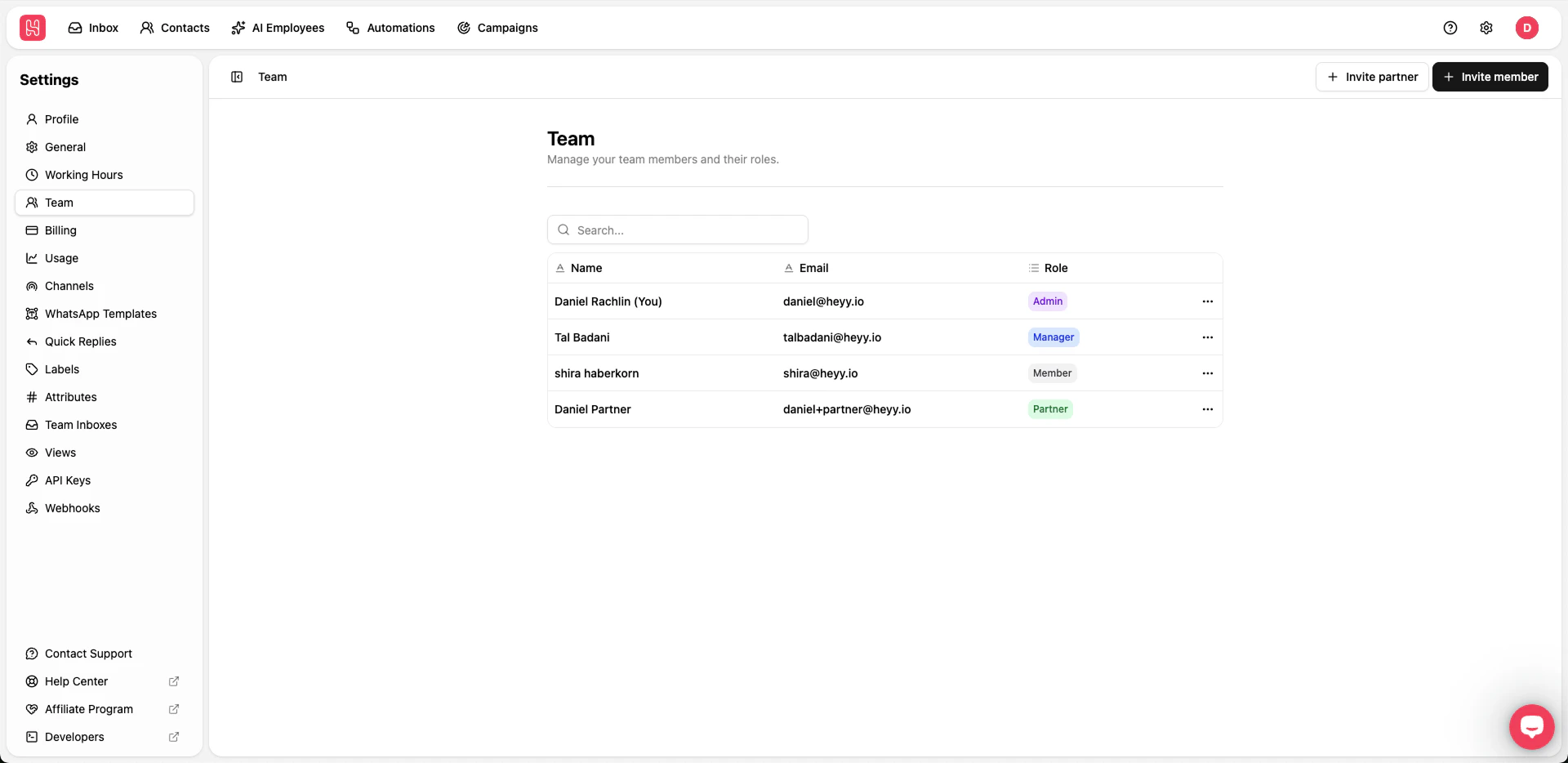
New Manager role
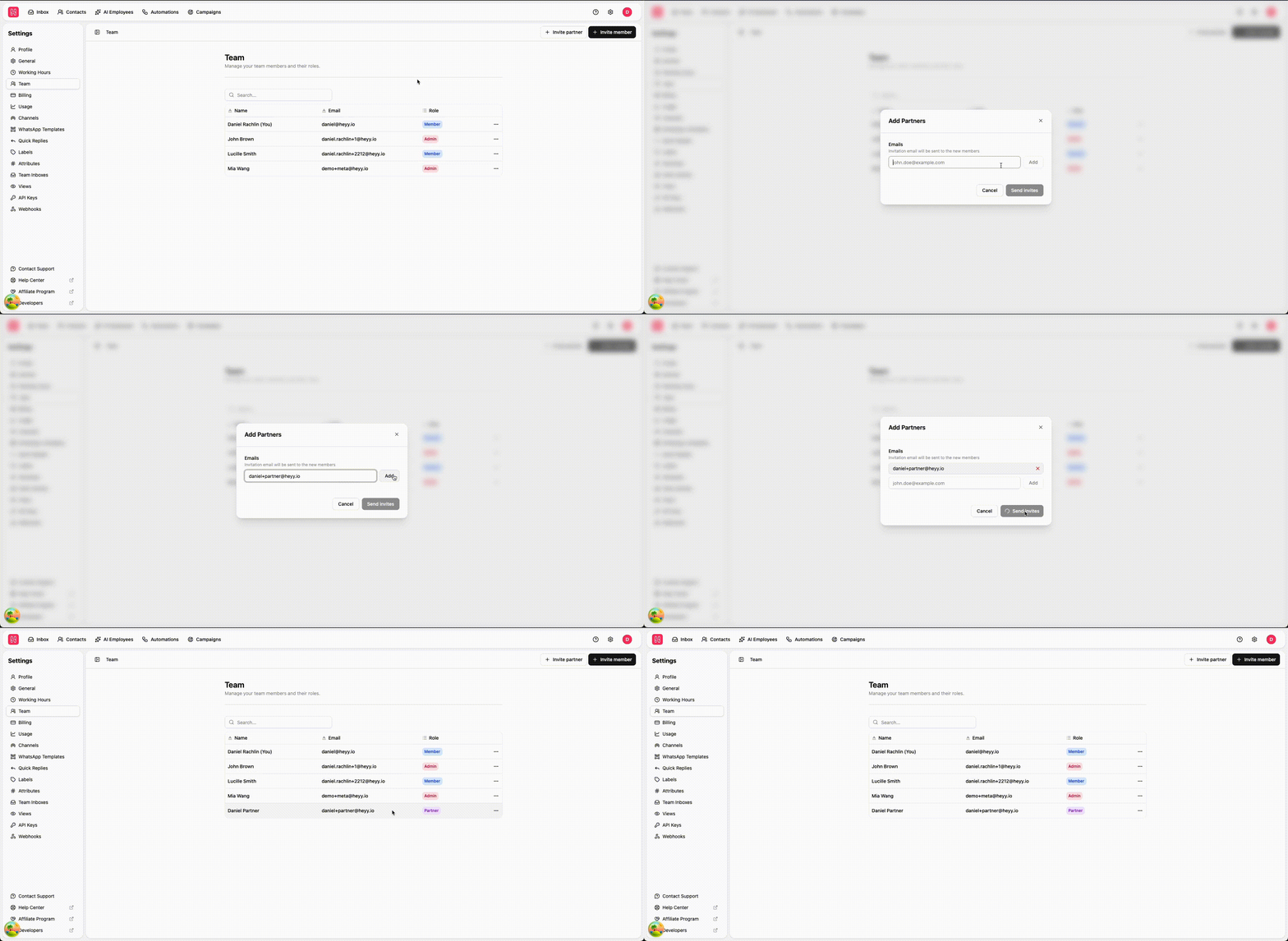
Partner invite
Webhooks v2.0
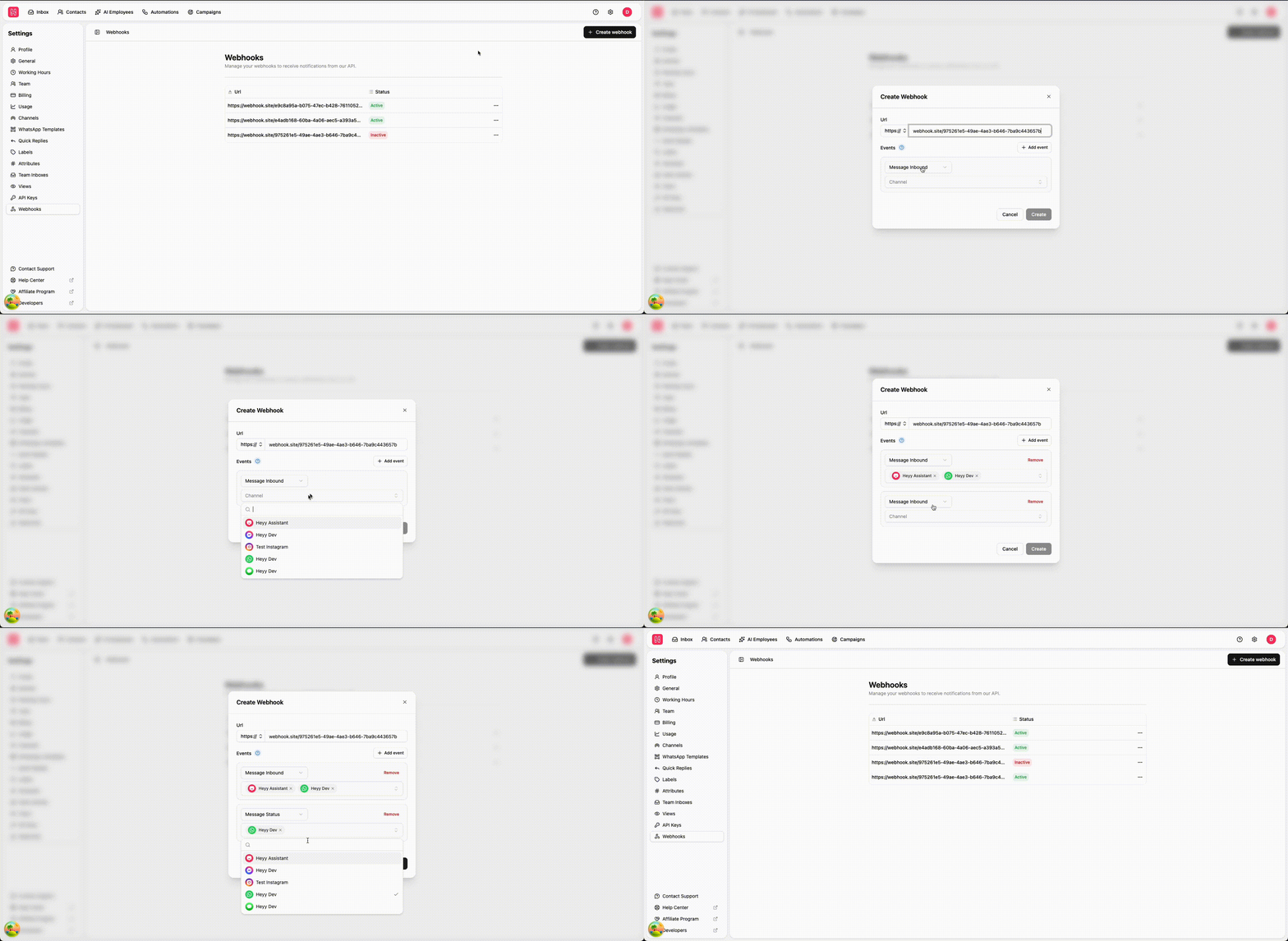
event, and upgrade on your timeline. For setup in the app, see Webhooks.New automation triggers
Automations can now start from more of what happens in your account—beyond chats alone. New triggers help you react when contacts are created or updated, when a label is added, or when a label is removed, so workflows stay in sync with your CRM-style data and team organization.Together, these options reduce manual work: sync attributes, kick off follow-ups when a label changes, or keep downstream tools updated automatically. Browse all triggers in Triggers.AI Employees can wait for multiple messages before replying
AI Employees can now collect more than one customer message before sending a reply—helpful when people send several short lines in a row or when you want the model to see the full thought before responding.That leads to more natural conversations and fewer premature answers, especially in fast-moving chats. Configure this behavior where you set up your AI Employee in AI Employees.AI Employees can now read all media attachments
AI Employees can use what’s inside media attachments—not just the text around them—so replies can reflect images, documents, and other files customers share.Whether someone sends a screenshot, a photo, or a PDF, your AI Employee has more context to help accurately. This pairs with how you already train employees in AI Employees.New Automation editor UI
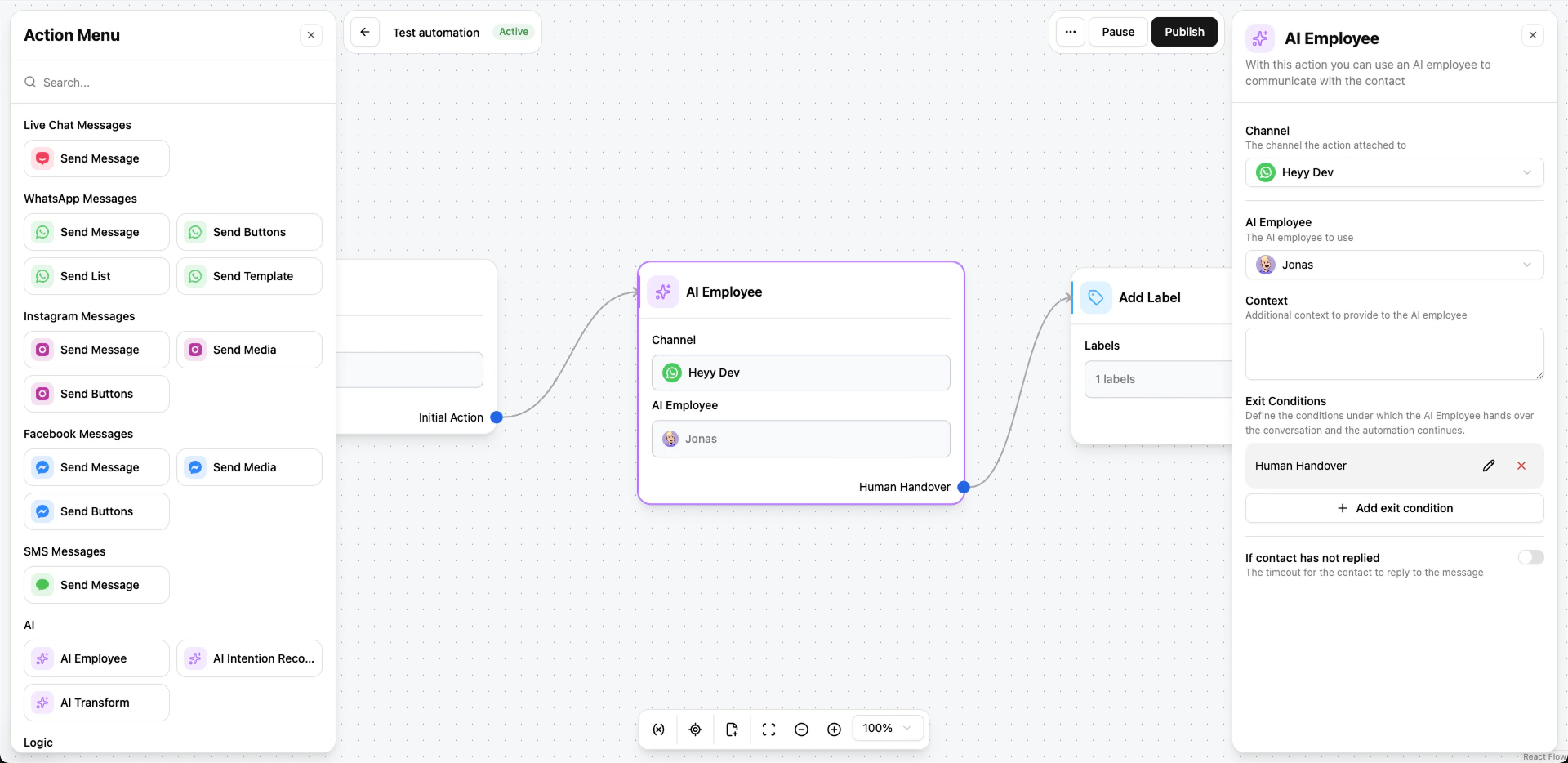
PRODUCT UPDATES
February 2026
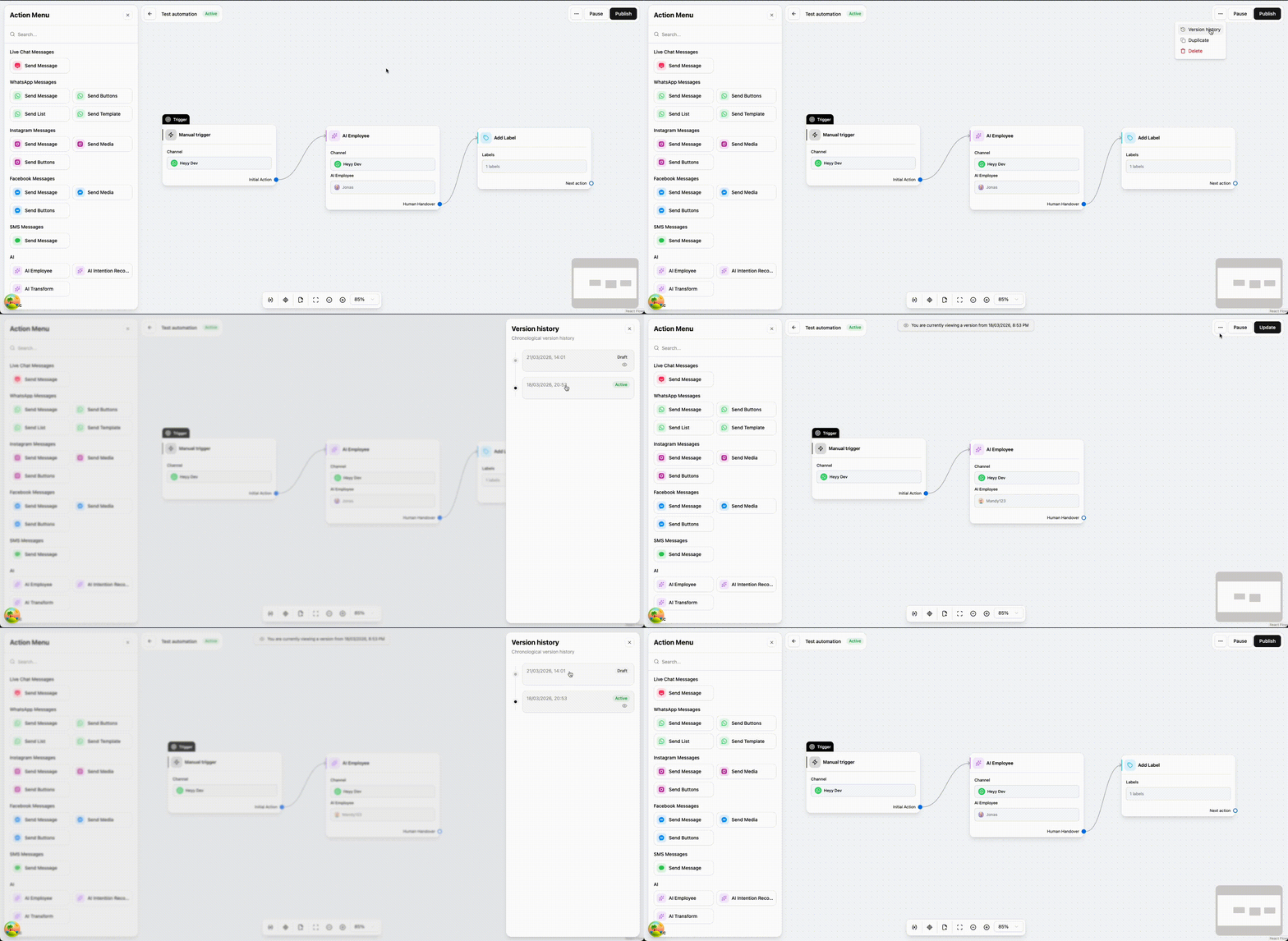
Automation versions
Clearer WhatsApp template errors and guidance
Heyy now won’t let you submit a WhatsApp template until every validation issue is fixed. You see what’s wrong up front and resolve it in the editor—instead of sending something to Meta and waiting, only to get a frustrating rejection.That saves your team real time and cuts down on those slow, annoying review cycles. You still get clear guidance as you build (structure, buttons, and what usually passes). For more on templates in Heyy, see WhatsApp templates.AI knowledge base automatic retraining
We removed the need to manually retrain your AI Employees. The knowledge base now updates on its own every few minutes, so your sources stay in sync without an extra button to remember.That’s a smoother experience for your team and a more reliable one for customers: answers reflect what you’ve added or changed recently, not the last time someone kicked off a training job. Add and edit knowledge as usual on AI Employees—Heyy keeps the rest up to date in the background.New AI knowledge source types: Q&A and documents
You can now train AI Employees using structured Q&A and uploaded documents, alongside the website links and free text you already use. That’s ideal for FAQs, policies, and files that don’t live on a public page.Together, these sources help the AI pull answers from the material your team trusts most—whether it’s a short Q&A pair or a full PDF. Learn more about building knowledge in AI Employees.Export campaign results
You can export campaign execution data for reporting, sharing with your team, or analyzing results in your own tools.Whether you’re reviewing delivery, engagement, or follow-ups, exporting makes it easier to work with campaign outcomes outside Heyy—without copying numbers by hand.Contacts bulk actions
On the Contacts page, you can now select multiple contacts at once and apply actions to the whole group—so repetitive updates take a few clicks instead of one-by-one edits. See Bulk actions.It’s built for everyday cleanup and segmentation: keep your list accurate faster when you need the same change across many people.Inbox bulk actions
In Inbox, select several chats and use the bulk action bar to triage at scale—open, close, snooze, assign, move between team inboxes, and more.It’s the same workflow you already use for one chat, now built for busy queues: clear backlog faster and keep routing consistent across your team.PRODUCT UPDATES
January 2026
Campaign bulk actions
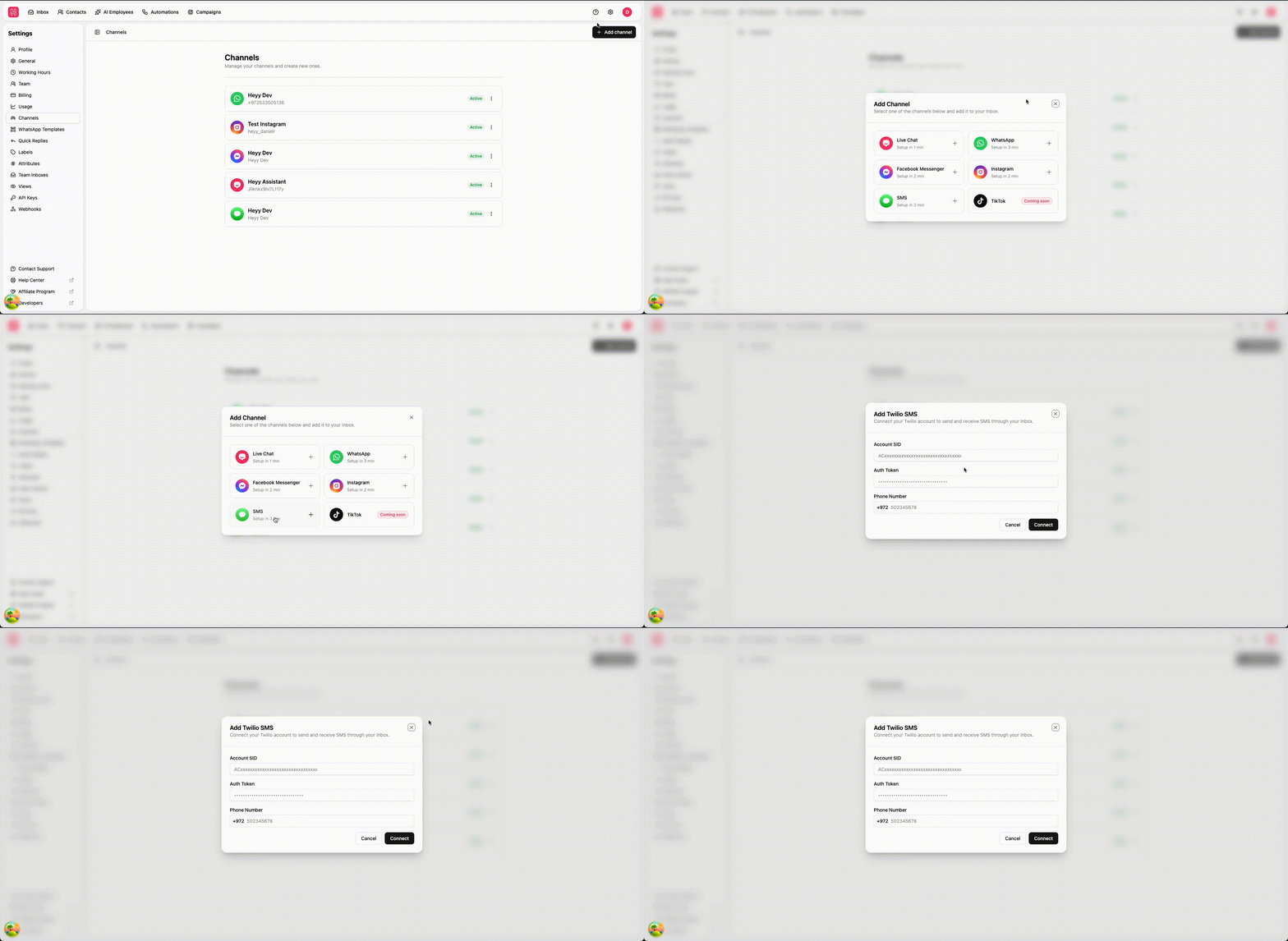
From the campaign execution page, you can now take bulk actions on your results—update contact attributes for many people at once, right where you’re already reviewing who was reached and who wasn’t.You can also spin up a new campaign in just a few clicks from the same screen. That’s especially handy when you want a follow-up for everyone who had a failed message: fix the issue, then quickly target that group with a fresh send without rebuilding your audience from scratch.SMS is here (via Twilio)
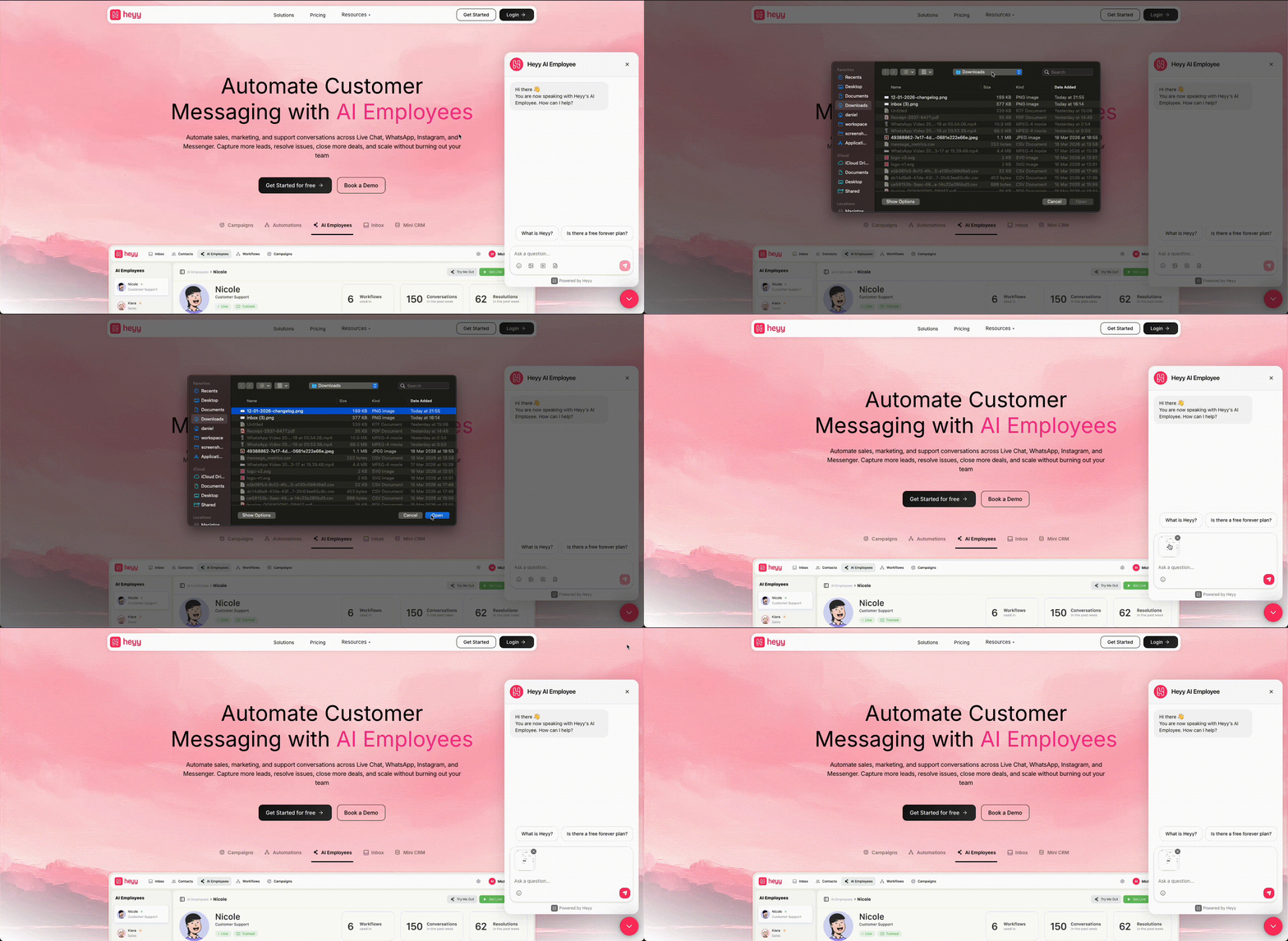
Live chat now supports media
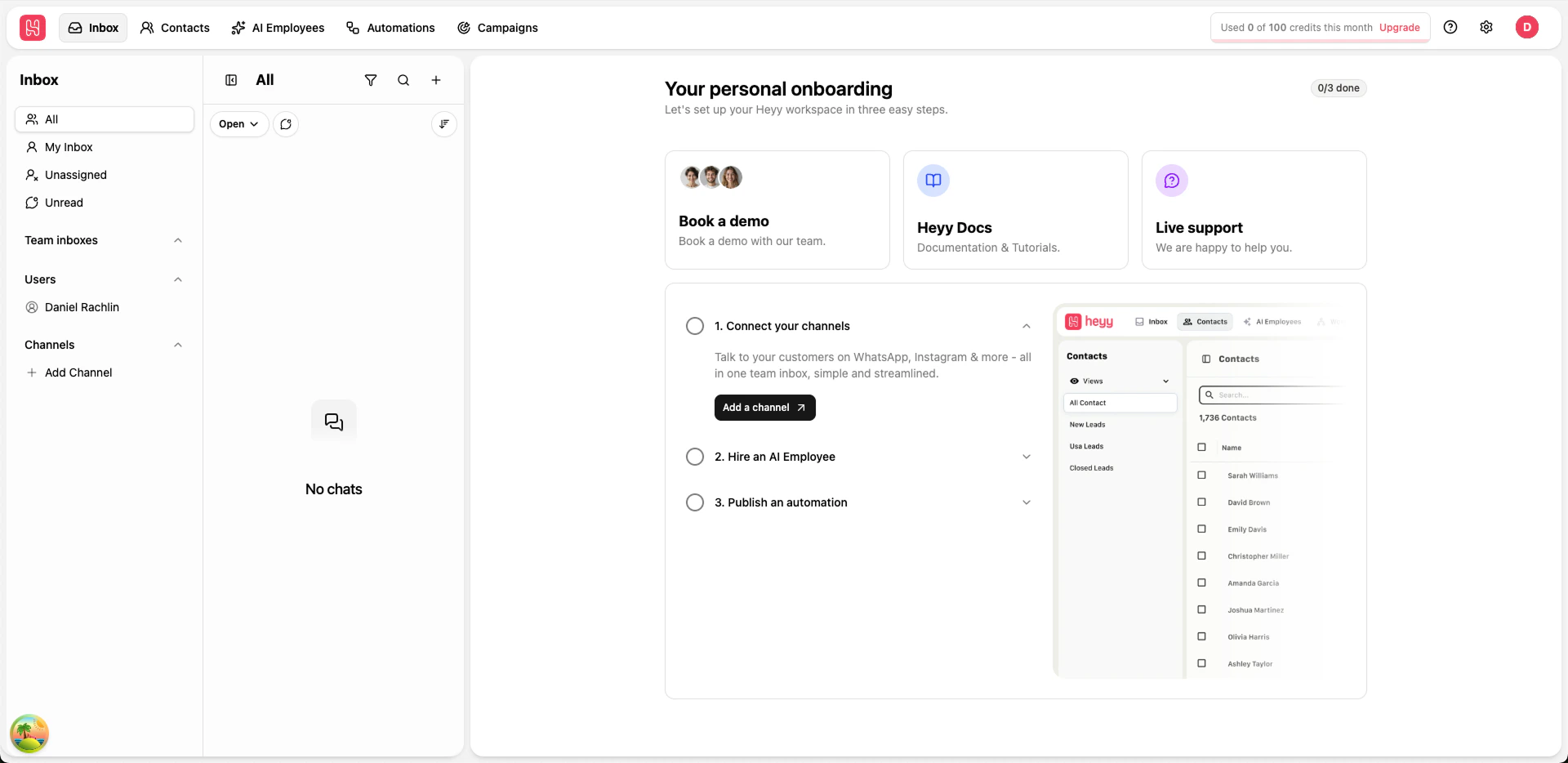
New guided onboarding in Inbox
Duplicate WhatsApp templates in one click
You can now duplicate existing WhatsApp templates to create new versions faster. This makes it easier to reuse proven message structures, adjust wording for new campaigns, and launch updates without rebuilding templates from scratch.Drag and drop files in Inbox chat
You can now drag and drop files directly into an Inbox conversation to upload and send them faster. Images, videos, and documents are all supported, making it easier to share what you need without extra clicks.New triggers released
New automations are easier to set up the way you work. We listened to customer feedback and split the older “New & reopened chat” trigger into two clearer options—one for first-time conversations and one for returning customers. We also added a dedicated “Chat moved” trigger for when routing changes.- New incoming chat: starts when someone messages you for the first time and a brand-new conversation is created. Use this for true onboarding moments like first greetings, collecting basic details, or starting the right welcome flow without mixing in returning customers.
- Reopened chat: starts when a previously closed conversation gets a new message. Use this for “welcome back” moments, re-assigning or routing returning chats, or triggering a different flow so you don’t repeat the same first-time welcome every time.
- Chat moved: starts when a chat is moved into one of your selected inboxes. Use this to react to routing decisions—like notifying the right team, kicking off a new checklist, or updating what happens next based on where the chat landed.
A full UI + UX update