
Create or edit an inbox view
- Open Inbox and find Views in the sidebar.
- Click + to create a new one, or select an existing view to edit it.
- Choose an icon so it’s easy to spot at a glance in a busy sidebar.
- Give it a name.
- Define a filter — see Advanced filters for the full set of conditions available.
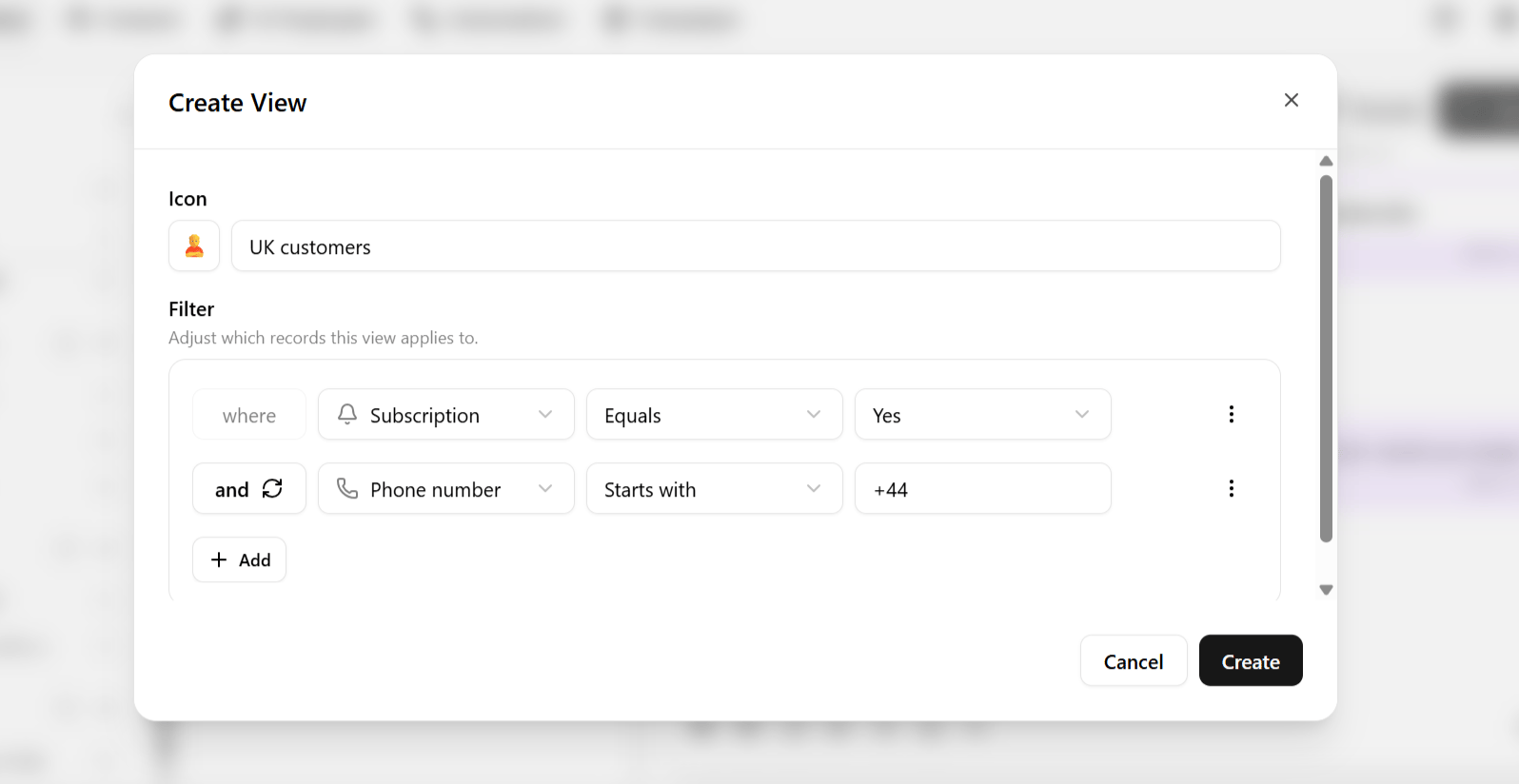
chat view type in Heyy. Your plan may limit how many saved inbox views you can create.
What you can filter on
Views use the same filtering engine as advanced filters — first name, last name, subscription status, phone number status, email domain patterns, labels, custom attributes, and more.Example views
Once saved, a view is available at any time from the sidebar — you never need to reconstruct the filter logic to get back to that slice of your conversations.
Heyy also has contact views for the Contacts mini-CRM, a separate list of saved filters scoped to contacts rather than chats. See Saved contact views.