Use a quick action
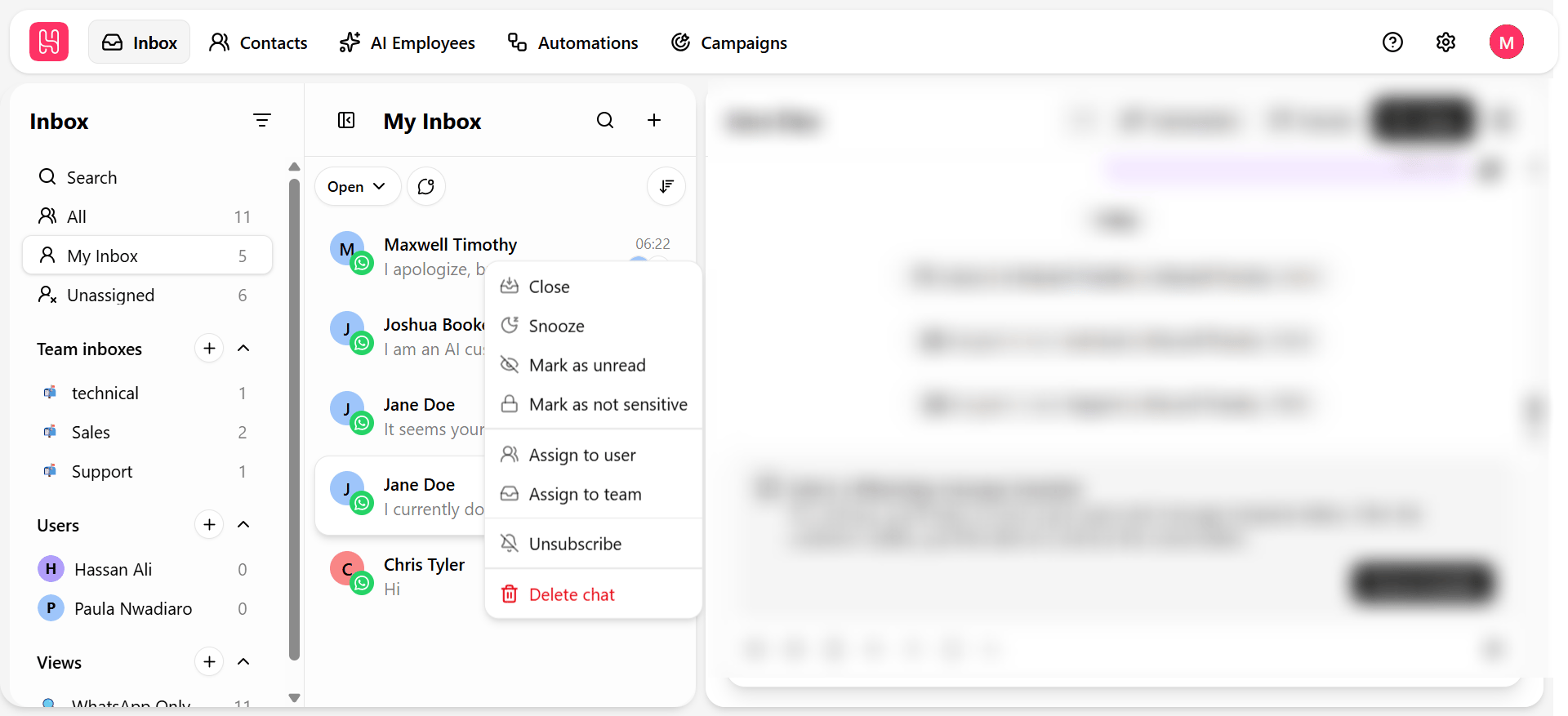
Hover over any conversation row to reveal its available actions.Quick actions vs. bulk actions
See Bulk actions when you need to act on more than one conversation at a time.
Documentation Index
Fetch the complete documentation index at: /llms.txt
Use this file to discover all available pages before exploring further.
One-click actions on a single conversation, right from the list.
| Quick action | What it does |
|---|---|
| Mark read / unread | Toggles read status without opening the conversation. |
| Assign | Hand the conversation to a teammate directly from the list. |
| Close | Resolve the conversation — see Chat lifecycle. |
| Snooze | Set it aside to resurface later. |
| Quick actions | Bulk actions | |
|---|---|---|
| Scope | One conversation at a time | Multiple selected conversations at once |
| Where | Hover on a single row | Select checkboxes, then use the action bar |
| Best for | A one-off change while scanning the list | Clearing a backlog or applying the same change broadly |
Was this page helpful?