
Window length by channel
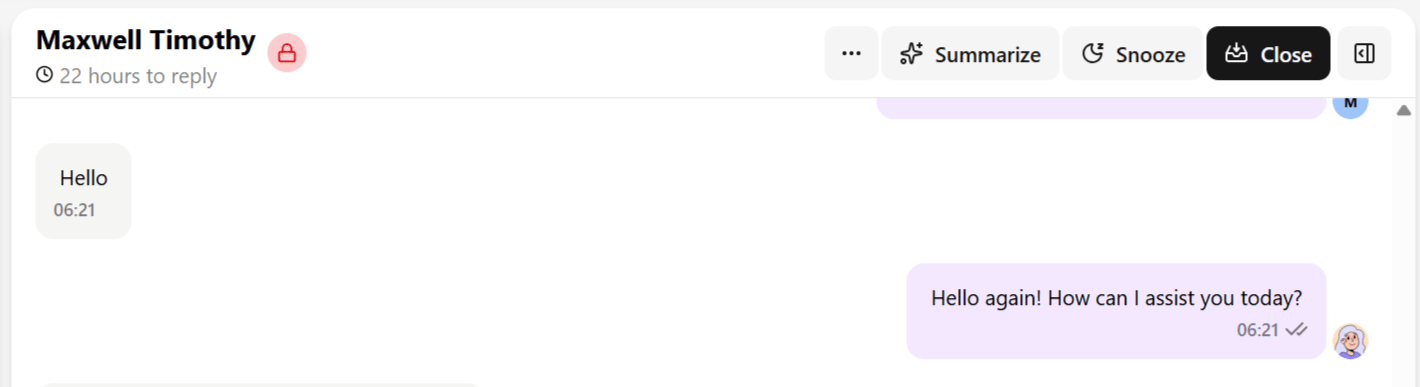
The chat header shows a live countdown while a window applies — something like “23 hours to reply” or “5 days left to reply.” It reads slightly under the full window because the countdown reflects time remaining, not time since the window opened.
Example: a customer messages you at 9:00 AM asking about your return policy. The 24-hour window opens at that moment and closes at 9:00 AM the next day — unless they message again in the meantime, which resets the clock to a fresh 24 hours from that new message. As long as a contact keeps replying within each rolling window, the conversation can stay in free-form mode indefinitely.
What happens when it expires
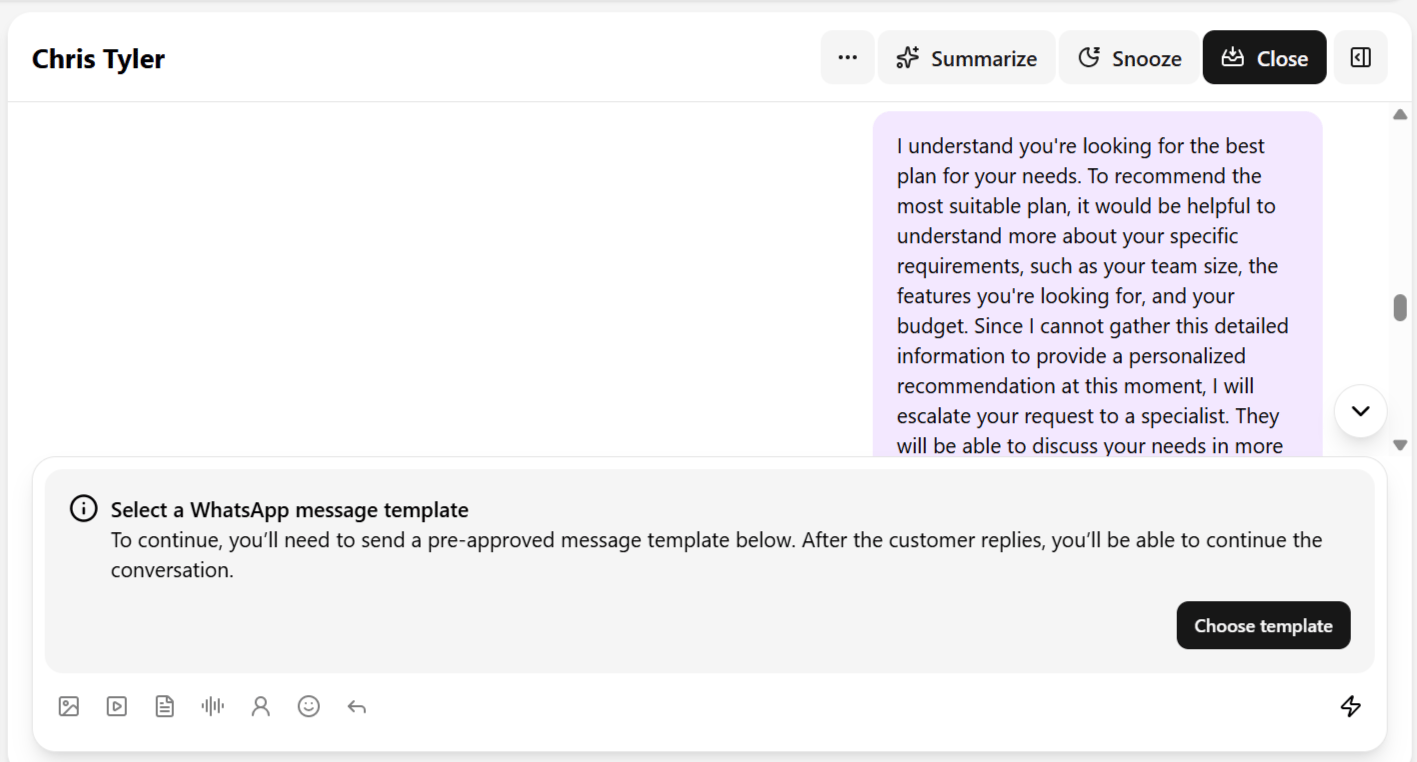
Once the window closes on WhatsApp, Messenger, or Instagram:- The text field is replaced with “Select a WhatsApp message template to continue.”
- A Choose a template button appears in its place.
- You cannot send a normal free-form text message, image, or any other unstructured content — only an approved template.
- Sending the template and getting a reply reopens the window, and normal messaging resumes until it lapses again.
Why this matters operationally
- It is not your inbox breaking. A message box replaced by a template prompt is expected behavior tied to the channel’s policy, not a Heyy malfunction.
- It shapes response-time discipline. Because WhatsApp and Messenger give you only 24 hours and Instagram gives 7 days, teams handling high volume should prioritize replies within the window — templates are more rigid, slower to get approved, and less natural for the contact than a normal reply.