
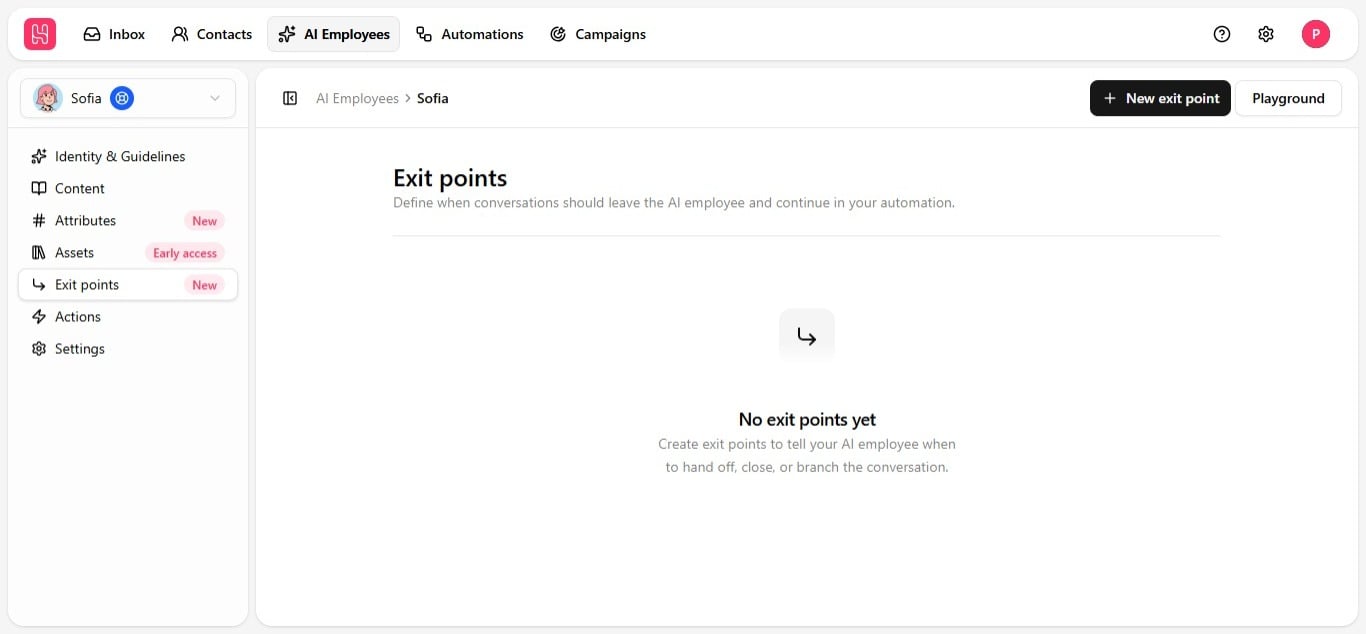
It’s broader than escalation
An exit point can represent any resolution:
You are not limited to a single generic “escalate to human” option — create as many exit points as you need, each with its own name and trigger condition: escalate to a specific team, escalate to a named teammate, flag a warm lead, close out a resolved ticket. Whatever shape your workflow needs.
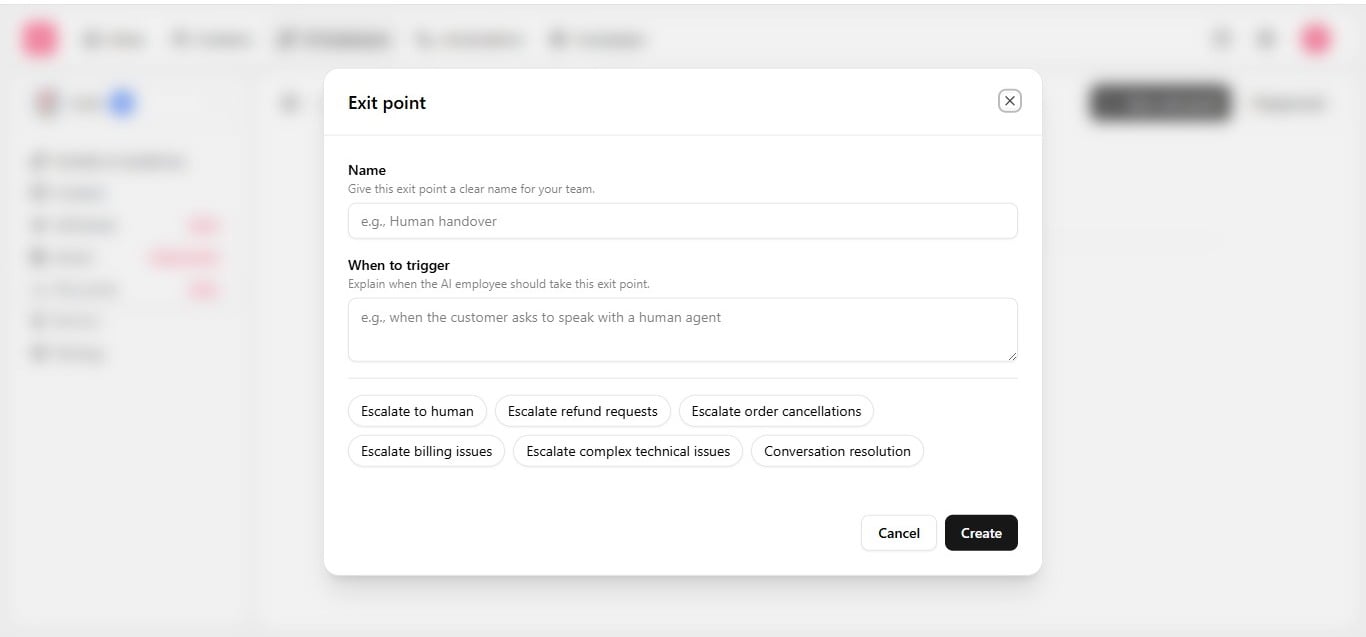
Create an exit point
- On the Exit points tab, click New exit point.
- Enter a clear, friendly name — for example, “Escalate to Human” or “Resolved”.
- Write the prompt — describe, in plain language, exactly when this exit should trigger.
- Set status to active when you are ready to use it.
- Save.
More scenarios worth an exit point
Because trigger instructions are entirely freehand, exit points can be shaped around whatever genuinely warrants human involvement for your business:
The principle underneath all of these: an employee can resolve the large majority of routine conversations independently, but some situations benefit from human judgment specifically. Exit points formalize, in advance, exactly where that line sits for your business, rather than discovering it reactively when a conversation goes wrong.
Set at least one escalation exit point before going live — without one, the employee keeps trying to handle a conversation it is not equipped for, instead of handing it to a person. Test each exit point in the Playground, then wire it into an automation via Use exit points in automations.