> ## Documentation Index
> Fetch the complete documentation index at: https://docs.heyy.io/llms.txt
> Use this file to discover all available pages before exploring further.
# Usage
> Monitor your usage data and analytics to understand consumption patterns.
## Credits Usage
Track how your credits are being consumed over time.
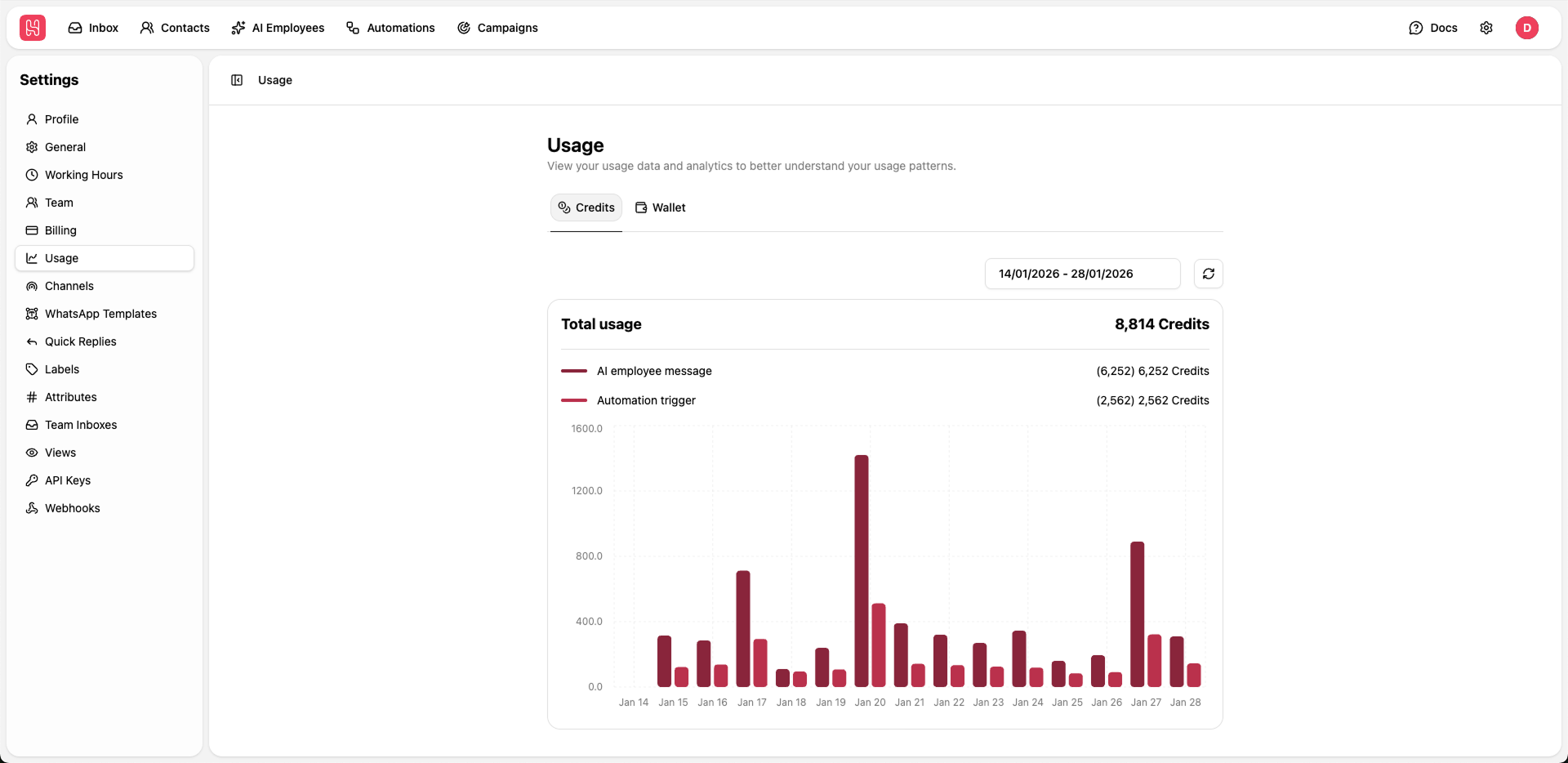 Go to [**Settings > Usage > Credits**](https://app.heyy.io/settings/usage/credits) to view your usage.
**Metrics Displayed:**
* **Total Usage** - Credits consumed in selected period
* **AI Employee Messages** - Credits used by AI responses
* **Workflow Triggers** - Credits used by automation workflows
**Date Range Selection:** Use the date picker to view usage for specific time periods.
Analyze your usage patterns to optimize AI Employee configurations and workflow triggers.
***
## Wallet Usage
Monitor your wallet spending on paid channels.
Go to [**Settings > Usage > Credits**](https://app.heyy.io/settings/usage/credits) to view your usage.
**Metrics Displayed:**
* **Total Usage** - Credits consumed in selected period
* **AI Employee Messages** - Credits used by AI responses
* **Workflow Triggers** - Credits used by automation workflows
**Date Range Selection:** Use the date picker to view usage for specific time periods.
Analyze your usage patterns to optimize AI Employee configurations and workflow triggers.
***
## Wallet Usage
Monitor your wallet spending on paid channels.
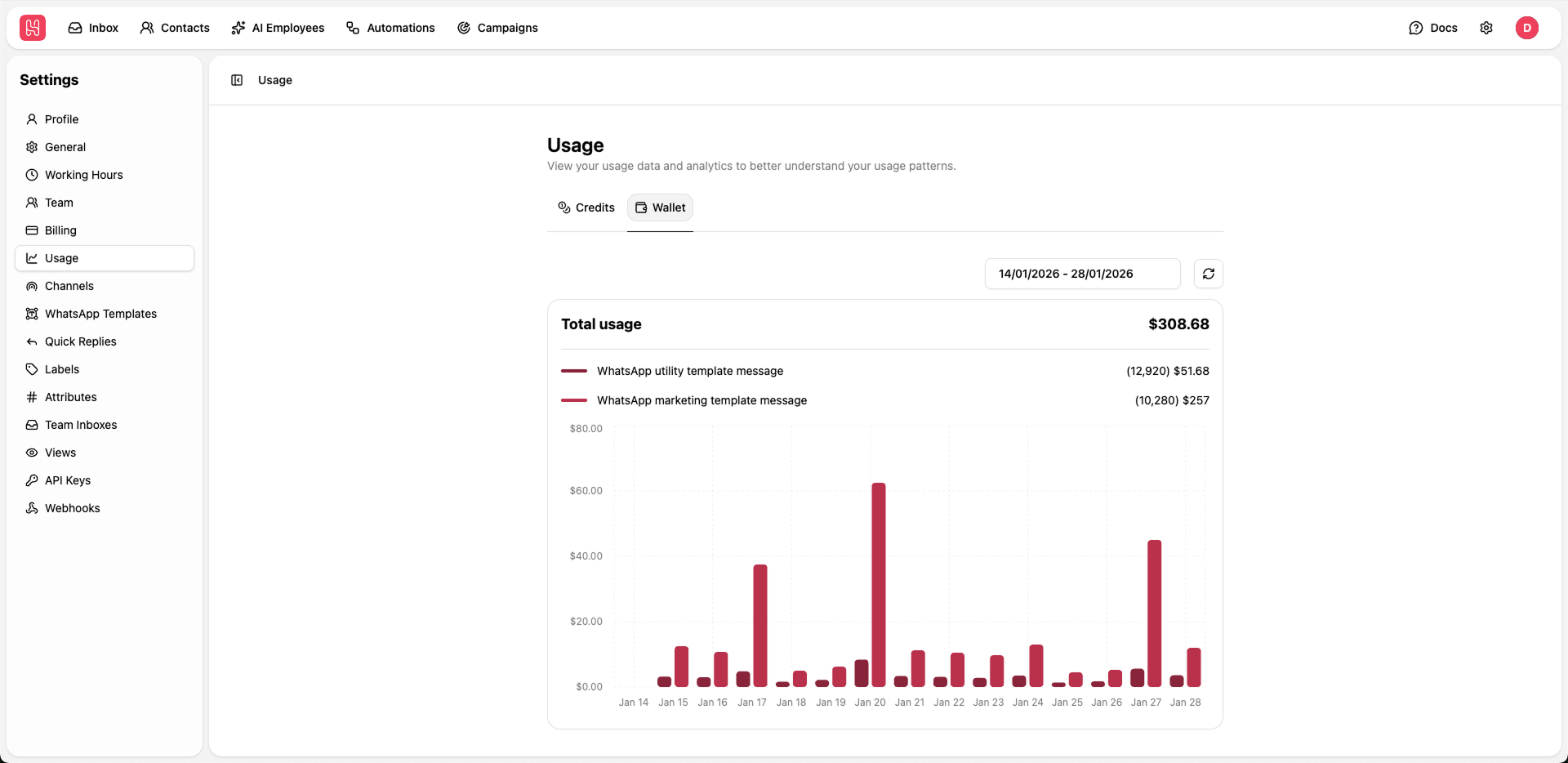 Go to [**Settings > Usage > Wallet**](https://app.heyy.io/settings/usage/wallet)
**Metrics Displayed:**
* **Total Usage** - Amount spent in selected period
* **WhatsApp Utility Template Messages** - Cost for utility messages
* **WhatsApp Marketing Template Messages** - Cost for marketing messages
The chart visualizes daily spending trends.
Go to [**Settings > Usage > Wallet**](https://app.heyy.io/settings/usage/wallet)
**Metrics Displayed:**
* **Total Usage** - Amount spent in selected period
* **WhatsApp Utility Template Messages** - Cost for utility messages
* **WhatsApp Marketing Template Messages** - Cost for marketing messages
The chart visualizes daily spending trends.