> ## Documentation Index
> Fetch the complete documentation index at: https://docs.heyy.io/llms.txt
> Use this file to discover all available pages before exploring further.
# Search & filter chats
> Status, sort, and the entry point into deeper filtering.
Beyond [global search](/help/inbox/find-and-organize/global-search), the [conversation list](/help/inbox/inbox-tour#the-conversation-list) has its own controls for narrowing and ordering whatever sidebar filter you're currently viewing.
## Status
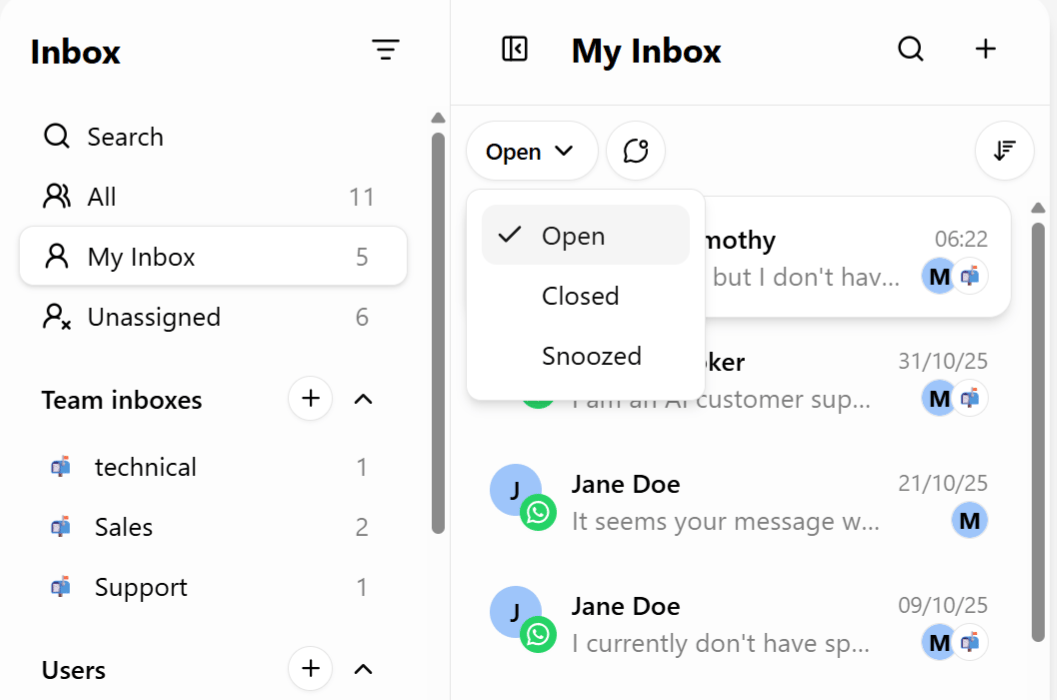
A dropdown lets you filter the list by conversation status, and you can select more than one at once:
| Status | Meaning |
| ----------- | -------------------------------------------------------------------------------------------- |
| **Open** | Active, unresolved conversations. |
| **Closed** | Resolved conversations — see [Chat lifecycle](/help/inbox/chat-fundamentals/chat-lifecycle). |
| **Snoozed** | Temporarily set aside to resurface later. |
 ## Sort
| Sort | Order |
| ---------- | -------------------------------------------------------------- |
| **Newest** | Most recent activity first — the default. |
| **Oldest** | Longest-waiting conversations first, useful for tracking SLAs. |
Sorting by **Oldest** inside **Unassigned** is a fast way to make sure the conversations that have been waiting longest get picked up first, rather than always grabbing whatever just came in.
## Going further
Combine Status and Sort with the **Filter** (funnel) icon for field-level conditions — see [Advanced filters](/help/inbox/find-and-organize/advanced-filters) — and save any combination you use often as a [saved inbox view](/help/inbox/find-and-organize/saved-inbox-views) instead of rebuilding it each time.
## Sort
| Sort | Order |
| ---------- | -------------------------------------------------------------- |
| **Newest** | Most recent activity first — the default. |
| **Oldest** | Longest-waiting conversations first, useful for tracking SLAs. |
Sorting by **Oldest** inside **Unassigned** is a fast way to make sure the conversations that have been waiting longest get picked up first, rather than always grabbing whatever just came in.
## Going further
Combine Status and Sort with the **Filter** (funnel) icon for field-level conditions — see [Advanced filters](/help/inbox/find-and-organize/advanced-filters) — and save any combination you use often as a [saved inbox view](/help/inbox/find-and-organize/saved-inbox-views) instead of rebuilding it each time.