> ## Documentation Index
> Fetch the complete documentation index at: https://docs.heyy.io/llms.txt
> Use this file to discover all available pages before exploring further.
# Saved inbox views
> Save filtered views of your chat list in the Inbox.
**Inbox views** (saved chat views) are permanent, reusable filters for your [conversation list](/help/inbox/inbox-tour#the-conversation-list) — for example open chats, a label, or a team assignment. Where [Team Inboxes](/help/inbox/find-and-organize/team-and-user-inboxes) force every conversation into exactly one bucket, Views let you slice the same underlying data any way you want, on demand, the way a saved spreadsheet filter would.
## Create or edit an inbox view
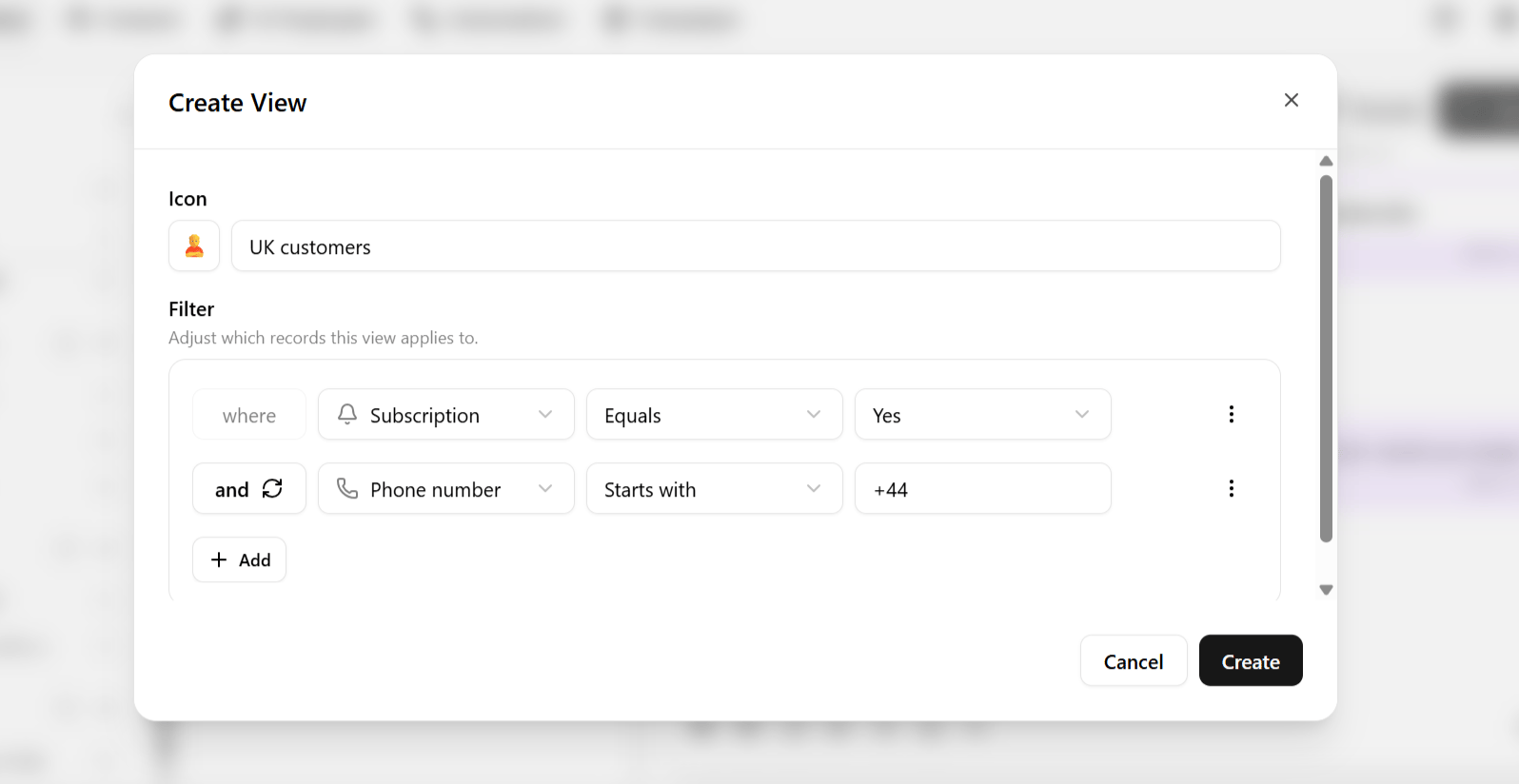
1. Open [**Inbox**](https://app.heyy.io/inbox) and find **Views** in the sidebar.
2. Click **+** to create a new one, or select an existing view to edit it.
3. Choose an **icon** so it's easy to spot at a glance in a busy sidebar.
4. Give it a **name**.
5. Define a **filter** — see [Advanced filters](/help/inbox/find-and-organize/advanced-filters) for the full set of conditions available.
 Saved inbox views use the `chat` view type in Heyy. Your plan may limit how many saved inbox views you can create.
## What you can filter on
Views use the same filtering engine as [advanced filters](/help/inbox/find-and-organize/advanced-filters) — first name, last name, subscription status, phone number status, email domain patterns, labels, custom attributes, and more.
## Example views
| View | Filter |
| - | - |
| **WhatsApp Only** | Channel is WhatsApp — useful once WhatsApp volume is high enough to want a dedicated lens separate from other channels. |
| **Business Contacts Only** | Email does not contain `gmail.com` or `yahoo.com` — surfaces contacts using a company domain, useful for B2B teams prioritizing likely decision-makers. |
| **Unsubscribed Contacts** | Subscription status is unsubscribed — useful for compliance checks and campaign planning. |
| **Missing Phone Number** | Phone number is empty — feeds a data-enrichment task. |
Once saved, a view is available at any time from the sidebar — you never need to reconstruct the filter logic to get back to that slice of your conversations.
Heyy also has **contact views** for the Contacts mini-CRM, a separate list of saved filters scoped to contacts rather than chats. See [Saved contact views](/help/contacts/search-and-filters/saved-contact-views).
Saved inbox views use the `chat` view type in Heyy. Your plan may limit how many saved inbox views you can create.
## What you can filter on
Views use the same filtering engine as [advanced filters](/help/inbox/find-and-organize/advanced-filters) — first name, last name, subscription status, phone number status, email domain patterns, labels, custom attributes, and more.
## Example views
| View | Filter |
| - | - |
| **WhatsApp Only** | Channel is WhatsApp — useful once WhatsApp volume is high enough to want a dedicated lens separate from other channels. |
| **Business Contacts Only** | Email does not contain `gmail.com` or `yahoo.com` — surfaces contacts using a company domain, useful for B2B teams prioritizing likely decision-makers. |
| **Unsubscribed Contacts** | Subscription status is unsubscribed — useful for compliance checks and campaign planning. |
| **Missing Phone Number** | Phone number is empty — feeds a data-enrichment task. |
Once saved, a view is available at any time from the sidebar — you never need to reconstruct the filter logic to get back to that slice of your conversations.
Heyy also has **contact views** for the Contacts mini-CRM, a separate list of saved filters scoped to contacts rather than chats. See [Saved contact views](/help/contacts/search-and-filters/saved-contact-views).