> ## Documentation Index
> Fetch the complete documentation index at: https://docs.heyy.io/llms.txt
> Use this file to discover all available pages before exploring further.
# Quick actions
> One-click actions on a single conversation, right from the list.
**Quick actions** are one-click actions available directly on a conversation row in the [conversation list](/help/inbox/inbox-tour#the-conversation-list), without opening the full thread. They cover the same handful of everyday operations you'd otherwise reach through [chat actions](/help/inbox/chat-actions) inside the conversation itself.
## Use a quick action
Hover over any conversation row to reveal its available actions.
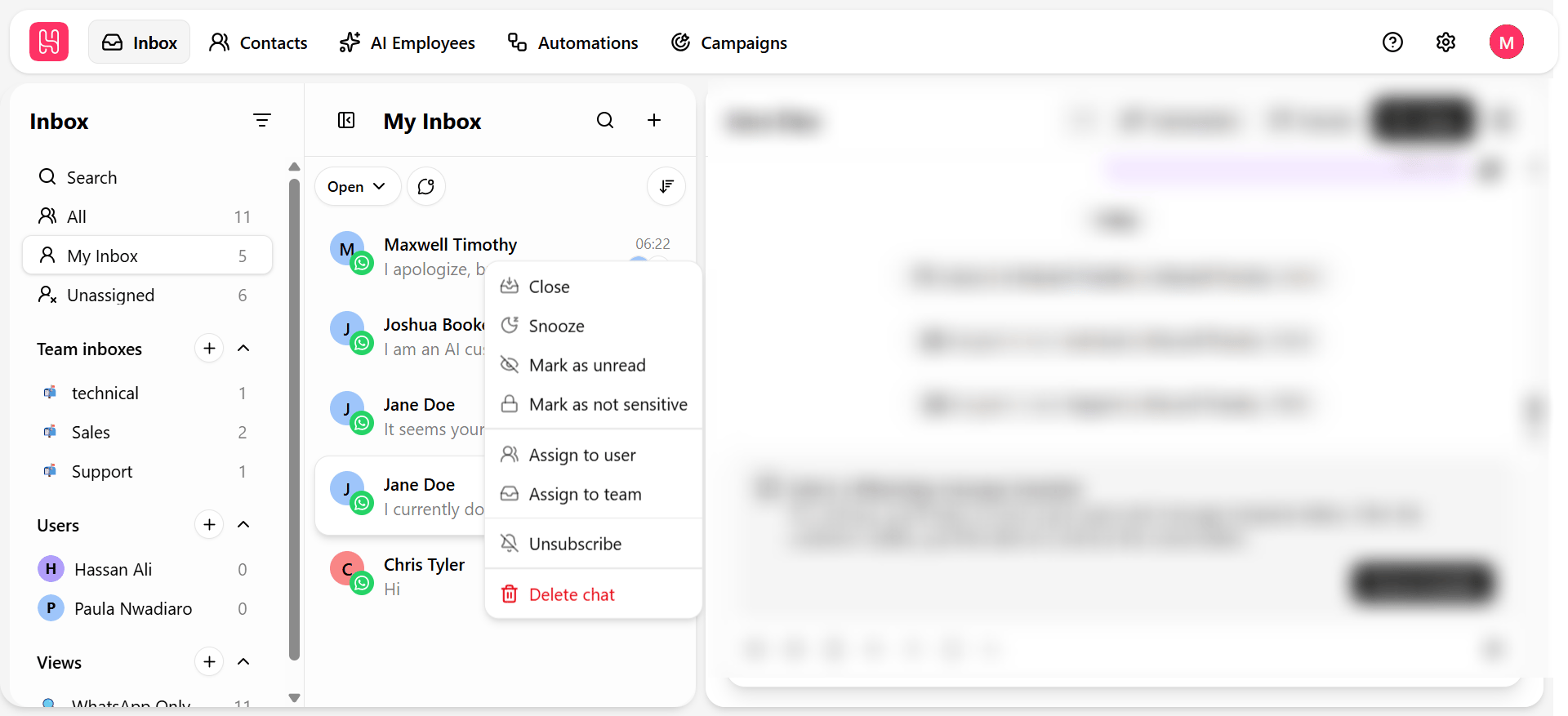 | Quick action | What it does |
| ---------------------- | ---------------------------------------------------------------------------------------------- |
| **Mark read / unread** | Toggles read status without opening the conversation. |
| **Assign** | Hand the conversation to a teammate directly from the list. |
| **Close** | Resolve the conversation — see [Chat lifecycle](/help/inbox/chat-fundamentals/chat-lifecycle). |
| **Snooze** | Set it aside to resurface later. |
## Quick actions vs. bulk actions
| | Quick actions | Bulk actions |
| ------------ | ---------------------------------------- | ------------------------------------------------------ |
| **Scope** | One conversation at a time | Multiple selected conversations at once |
| **Where** | Hover on a single row | Select checkboxes, then use the action bar |
| **Best for** | A one-off change while scanning the list | Clearing a backlog or applying the same change broadly |
See [Bulk actions](/help/inbox/find-and-organize/bulk-actions) when you need to act on more than one conversation at a time.
| Quick action | What it does |
| ---------------------- | ---------------------------------------------------------------------------------------------- |
| **Mark read / unread** | Toggles read status without opening the conversation. |
| **Assign** | Hand the conversation to a teammate directly from the list. |
| **Close** | Resolve the conversation — see [Chat lifecycle](/help/inbox/chat-fundamentals/chat-lifecycle). |
| **Snooze** | Set it aside to resurface later. |
## Quick actions vs. bulk actions
| | Quick actions | Bulk actions |
| ------------ | ---------------------------------------- | ------------------------------------------------------ |
| **Scope** | One conversation at a time | Multiple selected conversations at once |
| **Where** | Hover on a single row | Select checkboxes, then use the action bar |
| **Best for** | A one-off change while scanning the list | Clearing a backlog or applying the same change broadly |
See [Bulk actions](/help/inbox/find-and-organize/bulk-actions) when you need to act on more than one conversation at a time.