> ## Documentation Index
> Fetch the complete documentation index at: https://docs.heyy.io/llms.txt
> Use this file to discover all available pages before exploring further.
# Global search
> Find a conversation, contact, or message from a name, phrase, or detail.
**Global search** is a universal search across **messages, contacts, and chats** at once — you don't need to know which one you're looking for in advance.
## Open search
Click the **search icon** at the top of the [conversation list](/help/inbox/inbox-tour#the-conversation-list) to open the search modal, then type your query.
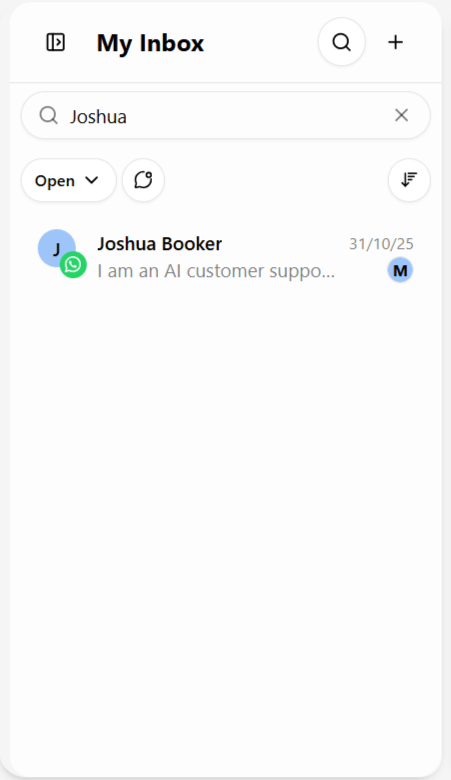 ## What you can search by
| Search by | Finds |
| ------------------------- | ----------------------------------------------------------------------------------------------------------------------------------------------------------------------- |
| **Contact name** | The contact's profile — click through to open their full conversation history. |
| **Message content** | Individual messages containing that phrase, even buried in an old thread — a product name, order number, or complaint. |
| **Phone number or email** | The matching contact, especially useful when someone messages you again on a *different* channel than before and you want to confirm they already exist in your system. |
Think of it less like a card catalog, where you need to already know the exact title or author, and more like a search engine — throw in a fragment of what you remember and it surfaces the relevant conversation or contact.
Searching by phone or email before creating a contact is a quick way to avoid duplicate contact records when someone reaches out on a new channel — see [Contacts across Heyy](/help/contacts/the-contact/contacts-across-heyy).
For narrower, reusable filtering rather than a one-off lookup, see [Advanced filters](/help/inbox/find-and-organize/advanced-filters) and [Saved inbox views](/help/inbox/find-and-organize/saved-inbox-views).
## What you can search by
| Search by | Finds |
| ------------------------- | ----------------------------------------------------------------------------------------------------------------------------------------------------------------------- |
| **Contact name** | The contact's profile — click through to open their full conversation history. |
| **Message content** | Individual messages containing that phrase, even buried in an old thread — a product name, order number, or complaint. |
| **Phone number or email** | The matching contact, especially useful when someone messages you again on a *different* channel than before and you want to confirm they already exist in your system. |
Think of it less like a card catalog, where you need to already know the exact title or author, and more like a search engine — throw in a fragment of what you remember and it surfaces the relevant conversation or contact.
Searching by phone or email before creating a contact is a quick way to avoid duplicate contact records when someone reaches out on a new channel — see [Contacts across Heyy](/help/contacts/the-contact/contacts-across-heyy).
For narrower, reusable filtering rather than a one-off lookup, see [Advanced filters](/help/inbox/find-and-organize/advanced-filters) and [Saved inbox views](/help/inbox/find-and-organize/saved-inbox-views).