> ## Documentation Index
> Fetch the complete documentation index at: https://docs.heyy.io/llms.txt
> Use this file to discover all available pages before exploring further.
# Chat actions
> The searchable Actions menu, plus Refresh, Close, and the More menu.
**Chat actions** operate on the conversation as a whole — as distinct from [message actions](/help/inbox/message-actions), which apply to a single message. Two entry points expose them: the **Actions** icon in the [composer](/help/inbox/send-a-message), and the chat header's **Refresh**, **Close**, and **More (⋯)** controls.
## The Actions menu
Click the **Actions** icon in the composer to open a searchable command list — type a few letters of what you want to do and the relevant action surfaces immediately, the same way a command palette works in other productivity tools.
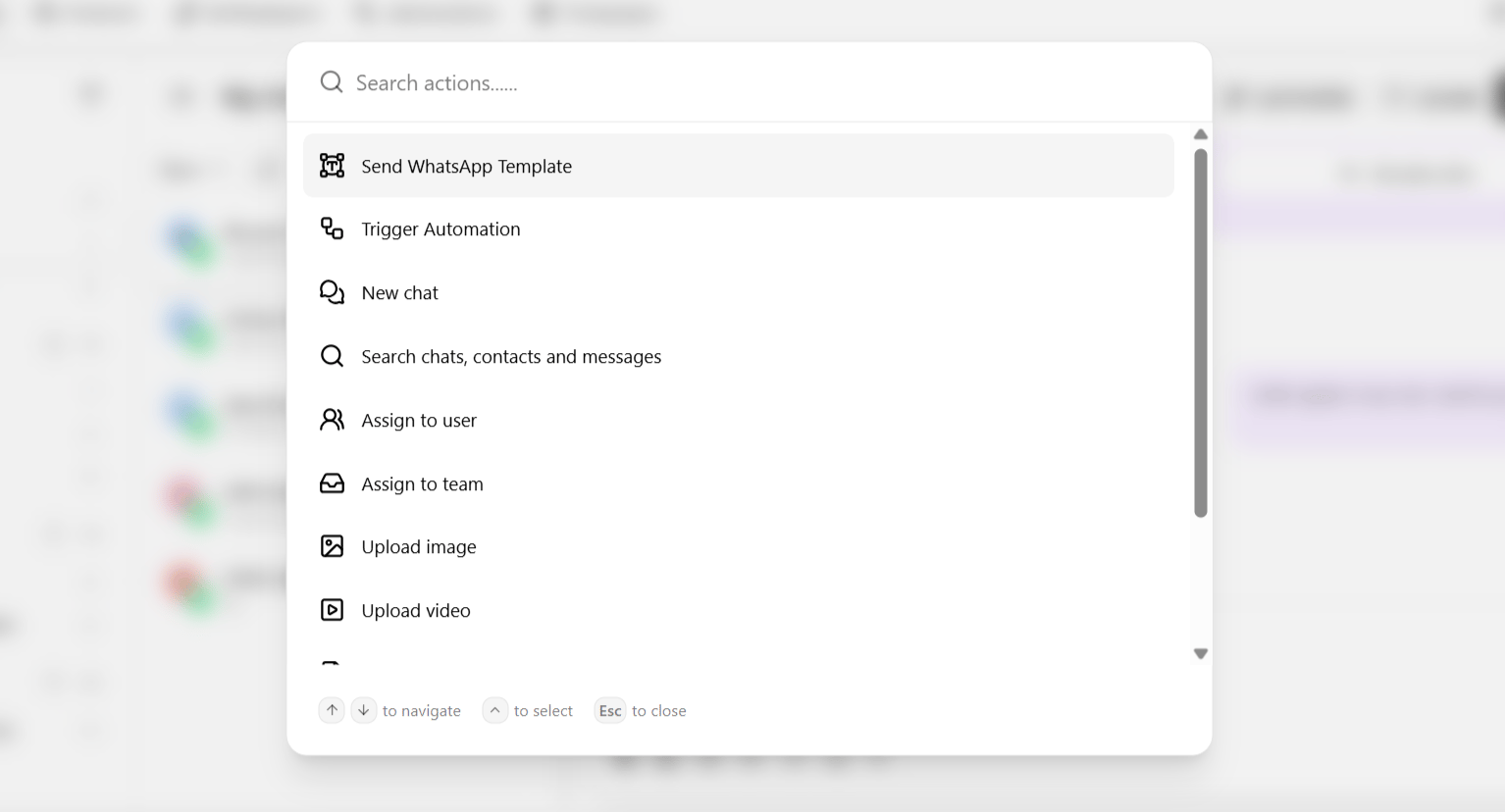 | Action | What it does |
| ----------------------------------- | ------------------------------------------------------------------------------------------------------------------------------------------------------------- |
| **Send a WhatsApp template** | Trigger an approved template directly — the way to resume messaging after a [conversation window](/help/inbox/chat-fundamentals/conversation-window) expires. |
| **Trigger automation** | Start an existing [automation](/help/automations/index) for this conversation. |
| **New chat** | Open a fresh conversation, optionally with the same contact on a different channel. |
| **Search chat** | Search within the current conversation. |
| **Search contacts** | Look up a specific contact. |
| **Search messages** | Locate a specific message across conversations — see [Global search](/help/inbox/find-and-organize/global-search). |
| **Assign to user** | Hand this conversation to a specific teammate. |
| **Assign to team** | Route this conversation to a [team inbox](/help/inbox/find-and-organize/team-and-user-inboxes). |
| **Upload image / video / document** | Attach media as part of a broader action flow rather than a simple send. |
## Header controls
The chat header above the conversation carries three additional controls:
| Control | What it does |
| ------------ | ------------------------------------------------------------------------------------------------------------------------- |
| **Refresh** | Reloads the thread — useful if a message you expect to see has not appeared. |
| **Close** | Marks the chat closed — see [Chat lifecycle](/help/inbox/chat-fundamentals/chat-lifecycle). |
| **More (⋯)** | Additional per-chat options, including marking a conversation [sensitive](/help/inbox/chat-fundamentals/sensitive-chats). |
Assigning a chat, or moving it to a different team, can trigger automations of its own — for example, a routing notification to the new assignee. See [Chat assigned](/help/automations/triggers/chat-assigned) and [Chat moved](/help/automations/triggers/chat-moved) triggers.
| Action | What it does |
| ----------------------------------- | ------------------------------------------------------------------------------------------------------------------------------------------------------------- |
| **Send a WhatsApp template** | Trigger an approved template directly — the way to resume messaging after a [conversation window](/help/inbox/chat-fundamentals/conversation-window) expires. |
| **Trigger automation** | Start an existing [automation](/help/automations/index) for this conversation. |
| **New chat** | Open a fresh conversation, optionally with the same contact on a different channel. |
| **Search chat** | Search within the current conversation. |
| **Search contacts** | Look up a specific contact. |
| **Search messages** | Locate a specific message across conversations — see [Global search](/help/inbox/find-and-organize/global-search). |
| **Assign to user** | Hand this conversation to a specific teammate. |
| **Assign to team** | Route this conversation to a [team inbox](/help/inbox/find-and-organize/team-and-user-inboxes). |
| **Upload image / video / document** | Attach media as part of a broader action flow rather than a simple send. |
## Header controls
The chat header above the conversation carries three additional controls:
| Control | What it does |
| ------------ | ------------------------------------------------------------------------------------------------------------------------- |
| **Refresh** | Reloads the thread — useful if a message you expect to see has not appeared. |
| **Close** | Marks the chat closed — see [Chat lifecycle](/help/inbox/chat-fundamentals/chat-lifecycle). |
| **More (⋯)** | Additional per-chat options, including marking a conversation [sensitive](/help/inbox/chat-fundamentals/sensitive-chats). |
Assigning a chat, or moving it to a different team, can trigger automations of its own — for example, a routing notification to the new assignee. See [Chat assigned](/help/automations/triggers/chat-assigned) and [Chat moved](/help/automations/triggers/chat-moved) triggers.