> ## Documentation Index
> Fetch the complete documentation index at: https://docs.heyy.io/llms.txt
> Use this file to discover all available pages before exploring further.
# Hand off to a human teammate
> Combine exit points, boundaries, and inbox routing to move a conversation from AI to your team.
Handoff is not a single setting — it is three pieces working together, each configured in a different place.
| Piece | Where it lives |
| ------------- | --------------------------------------------------------------------------------------------------------------------------------------------------------------------------------------- |
| **Detection** | An [exit point](/help/ai-employees/capabilities/create-exit-points) that recognizes handoff intent — for example, "Escalate to Human". |
| **Restraint** | A [Boundaries](/help/ai-employees/identity-and-guidelines/boundaries) guideline telling the employee to qualify or troubleshoot before escalating, rather than handing off immediately. |
| **Routing** | The exit point mapped, inside the automation, to an inbox or team action — see [Use exit points in automations](/help/ai-employees/going-live/use-exit-points-in-automations). |
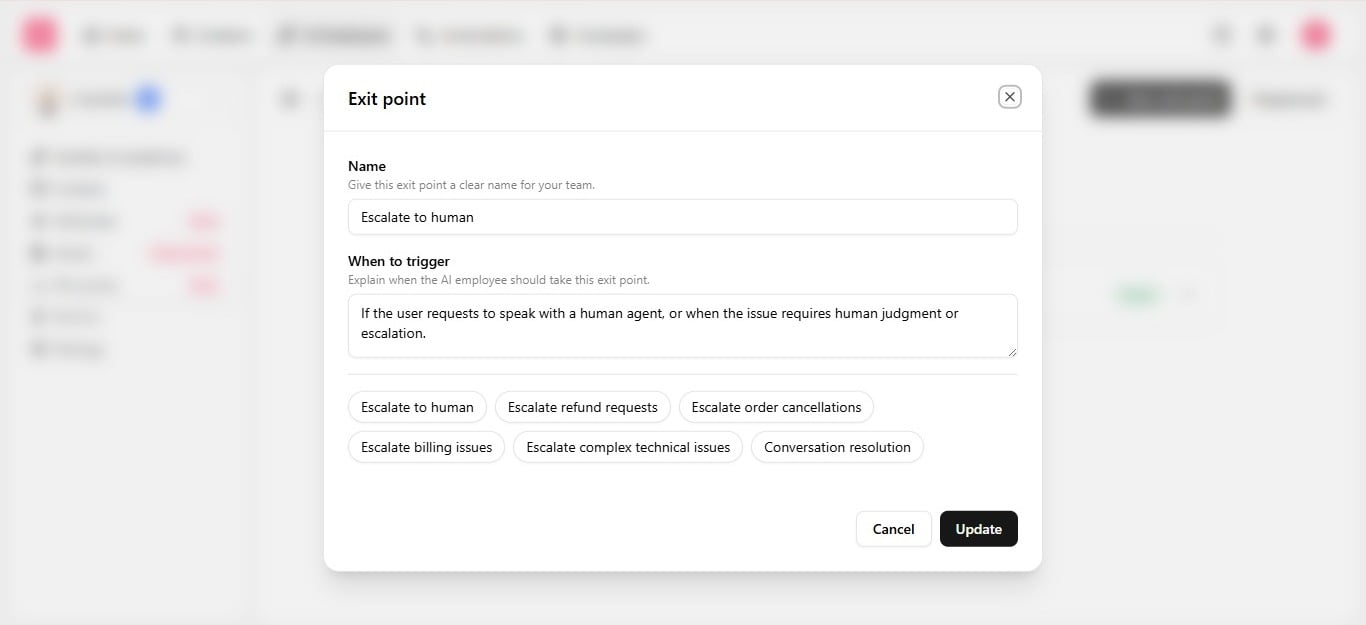 ## Example
**Exit point** — *"Escalate to Human"*: fires if the customer requests a person, or the issue needs additional help.
**Boundary** — *"Handoff after two failed attempts"*: if the issue is not resolved after two back-and-forth replies, stop troubleshooting and hand off plainly rather than continuing to guess.
**Routing** — inside the automation, map "Escalate to Human" to [assign chat](/help/automations/chats-actions) to the right [team inbox](/help/inbox/find-and-organize/team-and-user-inboxes).
## After handoff
Once routed, humans work the conversation in the [inbox](/help/inbox/inbox-tour) with the full conversation history the employee already built — nothing is lost in the transition.
Test the handoff path specifically in the [Playground](/help/ai-employees/going-live/test-in-playground) before going live: push toward frustration or a refund request and confirm the employee escalates instead of continuing to try.
## Example
**Exit point** — *"Escalate to Human"*: fires if the customer requests a person, or the issue needs additional help.
**Boundary** — *"Handoff after two failed attempts"*: if the issue is not resolved after two back-and-forth replies, stop troubleshooting and hand off plainly rather than continuing to guess.
**Routing** — inside the automation, map "Escalate to Human" to [assign chat](/help/automations/chats-actions) to the right [team inbox](/help/inbox/find-and-organize/team-and-user-inboxes).
## After handoff
Once routed, humans work the conversation in the [inbox](/help/inbox/inbox-tour) with the full conversation history the employee already built — nothing is lost in the transition.
Test the handoff path specifically in the [Playground](/help/ai-employees/going-live/test-in-playground) before going live: push toward frustration or a refund request and confirm the employee escalates instead of continuing to try.