> ## Documentation Index
> Fetch the complete documentation index at: https://docs.heyy.io/llms.txt
> Use this file to discover all available pages before exploring further.
# Upload documents
> Add PDFs and files as internal knowledge, smart-scanned for structure.
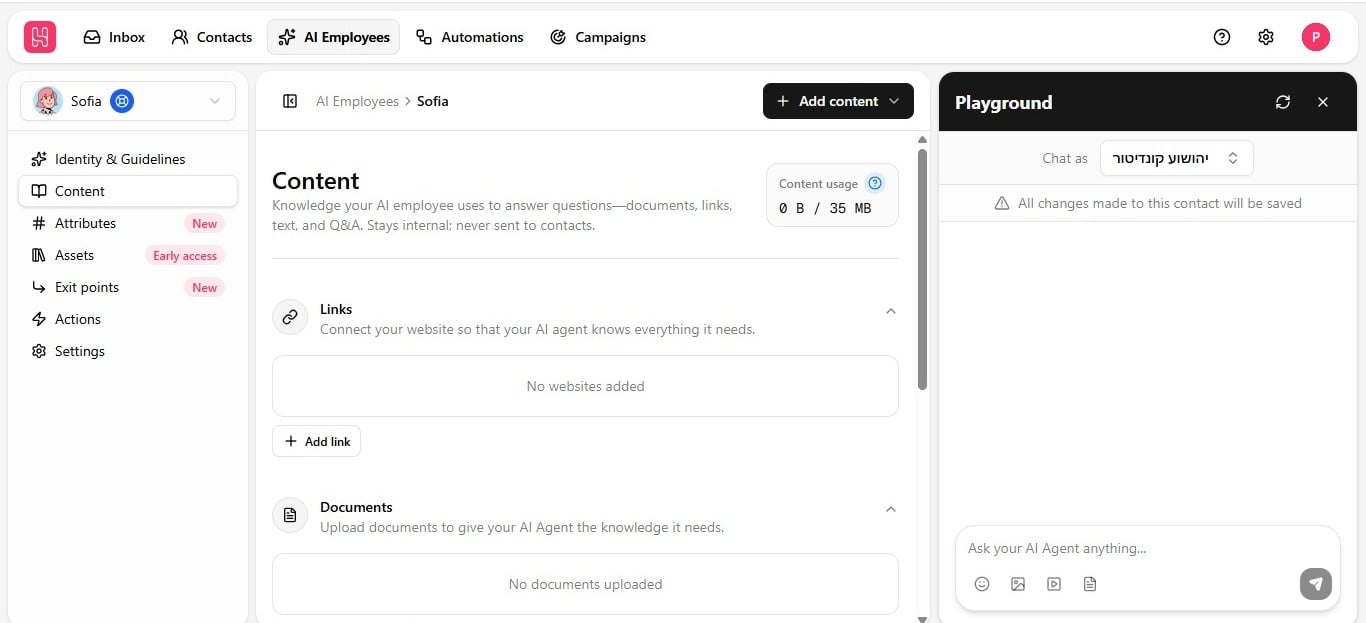
**Documents** is one of four source types on the **Content** tab. Upload PDF, DOC, DOCX, or TXT files so the employee can answer from their contents. Documents are for the employee's **answers** — they are not sent to contacts. To let the employee deliver a file to a customer, use [Share files in chat](/help/ai-employees/capabilities/share-files-in-chat) instead.
## Upload a document
1. Open the **Content** tab and click **Add Content** in the top-right corner.
2. Choose **Upload Document** from the dropdown.
3. Select a file — PDF, DOC, DOCX, TXT, or Markdown.
4. Wait for the training status badge to change from **Untrained** to **Trained**; see [Keep knowledge accurate](/help/ai-employees/content/keep-knowledge-accurate) for the training cycle.
This is often the most direct route for getting structured internal knowledge — product manuals, policy documents, pricing sheets — into the employee's knowledge base without that information needing to already exist as a live web page.
 ## How documents are read
Documents are smart-scanned, not read top to bottom like plain text:
| Structure | How it's handled |
| ------------------------ | ------------------------------------------------------------------------------------ |
| **Tables** | Reconstructed into structured data, not flattened into a run of numbers. |
| **Multi-column layouts** | Read in proper reading order, so unrelated columns are not merged into one sentence. |
This matters for pricing sheets, spec tables, and multi-column brochures — a naive text extraction would jumble them into something the employee cannot use reliably.
Your knowledge quota counts extracted text, not file size. A 20 MB PDF with 1 MB of actual text only uses 1 MB of your plan's limit. See [plan limits](/help/ai-employees/getting-started/hire-an-ai-employee) for quota by plan.
## How documents are read
Documents are smart-scanned, not read top to bottom like plain text:
| Structure | How it's handled |
| ------------------------ | ------------------------------------------------------------------------------------ |
| **Tables** | Reconstructed into structured data, not flattened into a run of numbers. |
| **Multi-column layouts** | Read in proper reading order, so unrelated columns are not merged into one sentence. |
This matters for pricing sheets, spec tables, and multi-column brochures — a naive text extraction would jumble them into something the employee cannot use reliably.
Your knowledge quota counts extracted text, not file size. A 20 MB PDF with 1 MB of actual text only uses 1 MB of your plan's limit. See [plan limits](/help/ai-employees/getting-started/hire-an-ai-employee) for quota by plan.