> ## Documentation Index
> Fetch the complete documentation index at: https://docs.heyy.io/llms.txt
> Use this file to discover all available pages before exploring further.
# Add plain text knowledge
> Paste policies, scripts, or notes as searchable content, no file needed.
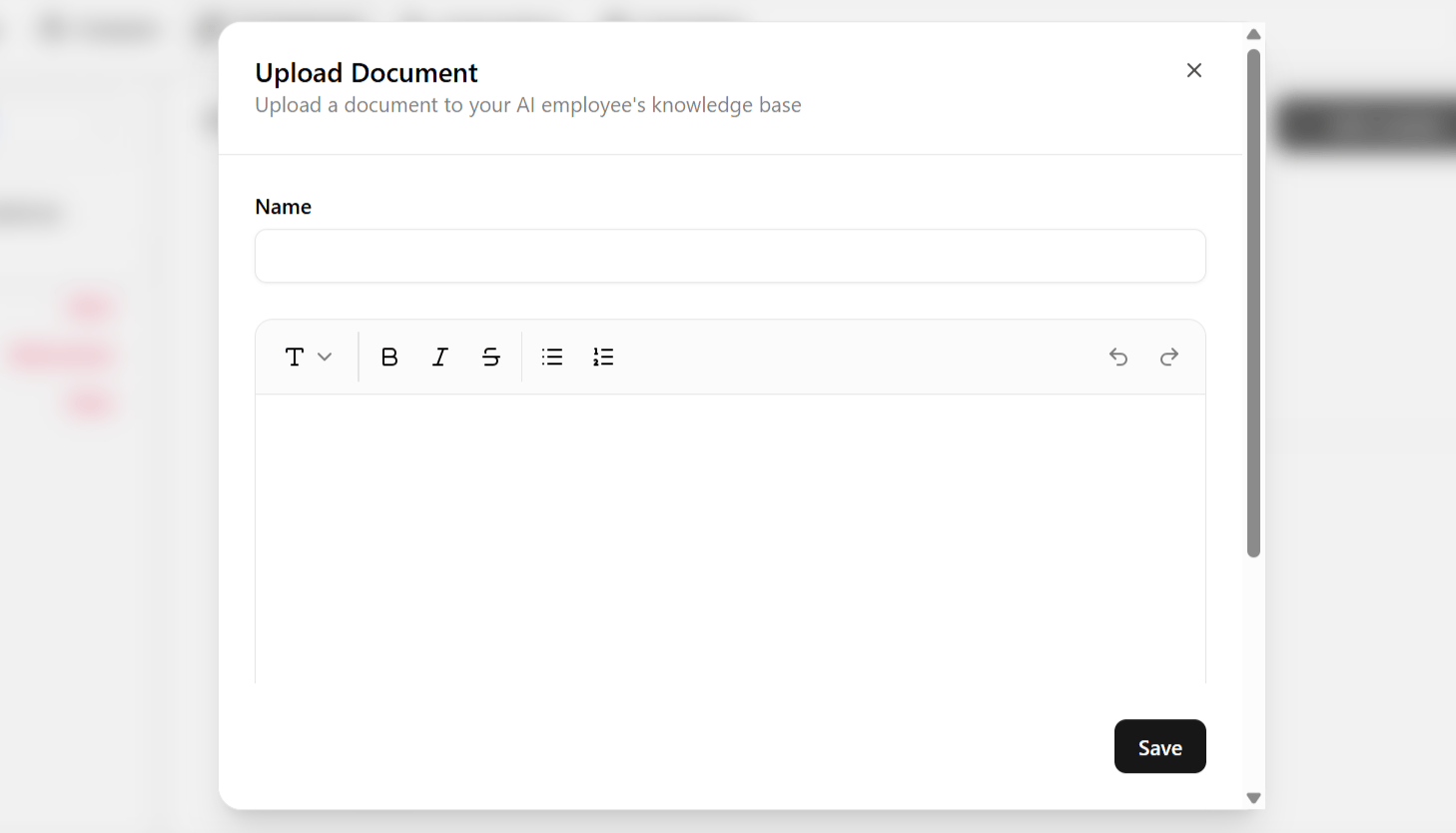
**Text** is one of four source types on the **Content** tab — a plain text editor for writing knowledge directly, with no file to prepare or upload first. Use it for content you are drafting fresh, or content that does not live anywhere else worth linking or uploading.
## Add a text source
1. Open the **Content** tab and click **Add Content** in the top-right corner.
2. Choose **Add Text** from the dropdown.
3. Give the entry a **name**, then type or paste the content — a policy, an internal note, a short script.
4. Save. The entry is queued for the next training cycle; see [Keep knowledge accurate](/help/ai-employees/content/keep-knowledge-accurate).
This is the most manual of the four source types, and it is useful precisely when the information you want the employee to know does not already exist as a document or webpage.
 ## When to use Text instead of Links or Documents
| Use Text for | Use another source instead |
| ----------------------------------------------------------------------- | ------------------------------------------------------------------------------------------------------------ |
| Content that only exists as an internal note, not a public page or file | Public content that already lives on your site → [Links](/help/ai-employees/content/add-your-website) |
| A quick policy draft you are iterating on | A finished file you already have → [Documents](/help/ai-employees/content/upload-documents) |
| A single fact worth a precise, exact-match answer | A question customers phrase many different ways → [Q\&A](/help/ai-employees/content/build-qa-knowledge-base) |
Keep each entry short and focused on one topic. Shorter, well-scoped snippets retrieve more reliably than one long block covering several unrelated topics — the same principle as writing [guidelines](/help/ai-employees/identity-and-guidelines/write-your-guidelines): one entry, one job.
## When to use Text instead of Links or Documents
| Use Text for | Use another source instead |
| ----------------------------------------------------------------------- | ------------------------------------------------------------------------------------------------------------ |
| Content that only exists as an internal note, not a public page or file | Public content that already lives on your site → [Links](/help/ai-employees/content/add-your-website) |
| A quick policy draft you are iterating on | A finished file you already have → [Documents](/help/ai-employees/content/upload-documents) |
| A single fact worth a precise, exact-match answer | A question customers phrase many different ways → [Q\&A](/help/ai-employees/content/build-qa-knowledge-base) |
Keep each entry short and focused on one topic. Shorter, well-scoped snippets retrieve more reliably than one long block covering several unrelated topics — the same principle as writing [guidelines](/help/ai-employees/identity-and-guidelines/write-your-guidelines): one entry, one job.