> ## Documentation Index
> Fetch the complete documentation index at: https://docs.heyy.io/llms.txt
> Use this file to discover all available pages before exploring further.
# Actions overview
> Functions your employee can invoke during a conversation, not just knowledge it retrieves passively.
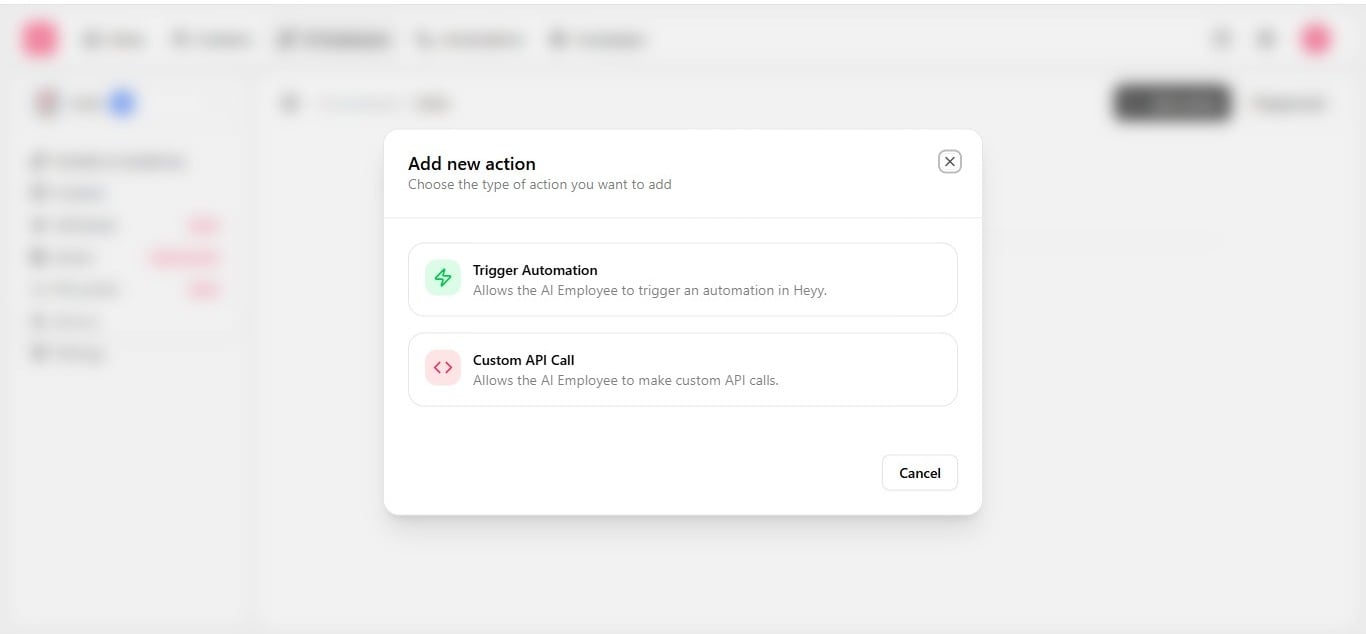
On the **Actions** tab, define tools the employee may call actively during a chat. This is what lets an employee *do* something — search products, get an order status, check an account's status, open a support ticket — not just reply with text.
## Action types
| Action | Purpose |
| ------------------------------------------------------------------------------- | ------------------------------------------------------------------------------------------------------------------- |
| [**Custom API call**](/help/ai-employees/capabilities/call-an-external-api) | Call an external HTTP endpoint mid-conversation — check an order, look up inventory, update a CRM. |
| [**Trigger automation**](/help/ai-employees/capabilities/trigger-an-automation) | Start another Heyy automation for this contact — an internal notification, a chat assignment, a follow-up workflow. |
 Contact field read, share, and update is configured on [**Attributes**](/help/ai-employees/capabilities/choose-attributes-to-expose), not here. Expose only the attributes the employee needs, then reference actions and attributes together in a [guideline](/help/ai-employees/identity-and-guidelines/write-your-guidelines) — for example, *use the Shopify action when a customer asks about a specific product*.
Add actions sparingly. Each one is a decision the employee can make mid-conversation, and each one is worth testing with both a successful response and a failure response in the [Playground](/help/ai-employees/going-live/test-in-playground) before going live.
Contact field read, share, and update is configured on [**Attributes**](/help/ai-employees/capabilities/choose-attributes-to-expose), not here. Expose only the attributes the employee needs, then reference actions and attributes together in a [guideline](/help/ai-employees/identity-and-guidelines/write-your-guidelines) — for example, *use the Shopify action when a customer asks about a specific product*.
Add actions sparingly. Each one is a decision the employee can make mid-conversation, and each one is worth testing with both a successful response and a failure response in the [Playground](/help/ai-employees/going-live/test-in-playground) before going live.