> ## Documentation Index
> Fetch the complete documentation index at: https://docs.heyy.io/llms.txt
> Use this file to discover all available pages before exploring further.
# Authentication
> How to authenticate requests to the Heyy API v3.
The Heyy API uses bearer tokens passed in the `Authorization` header to authenticate calls.
## Obtaining your API key
You can create and manage API keys in the Heyy web app. Follow these steps:
Navigate to the [**API Keys** settings page](https://app.heyy.io/settings/api-keys) in your Heyy workspace.
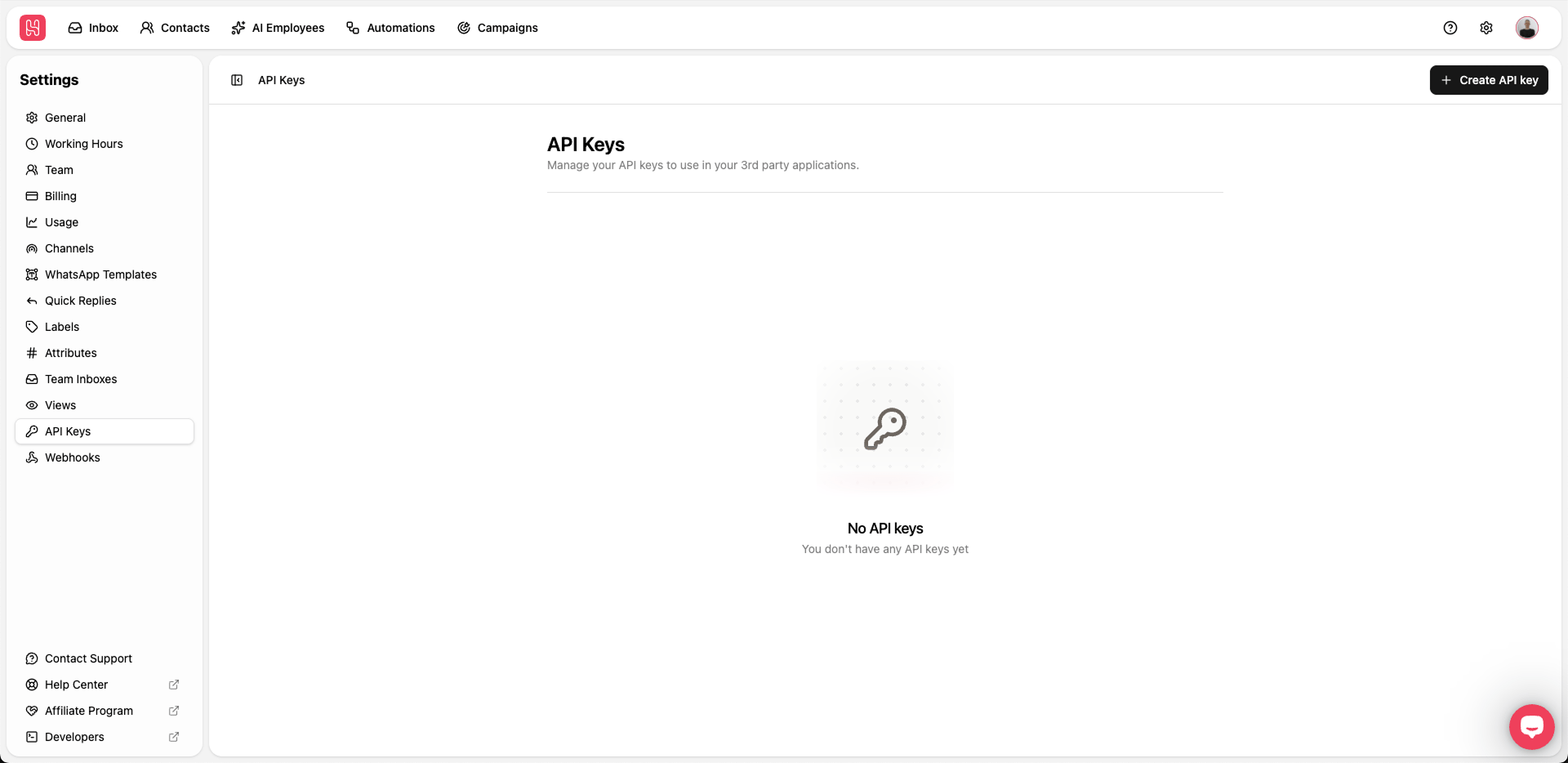 Click **Create API key** to open the creation form.
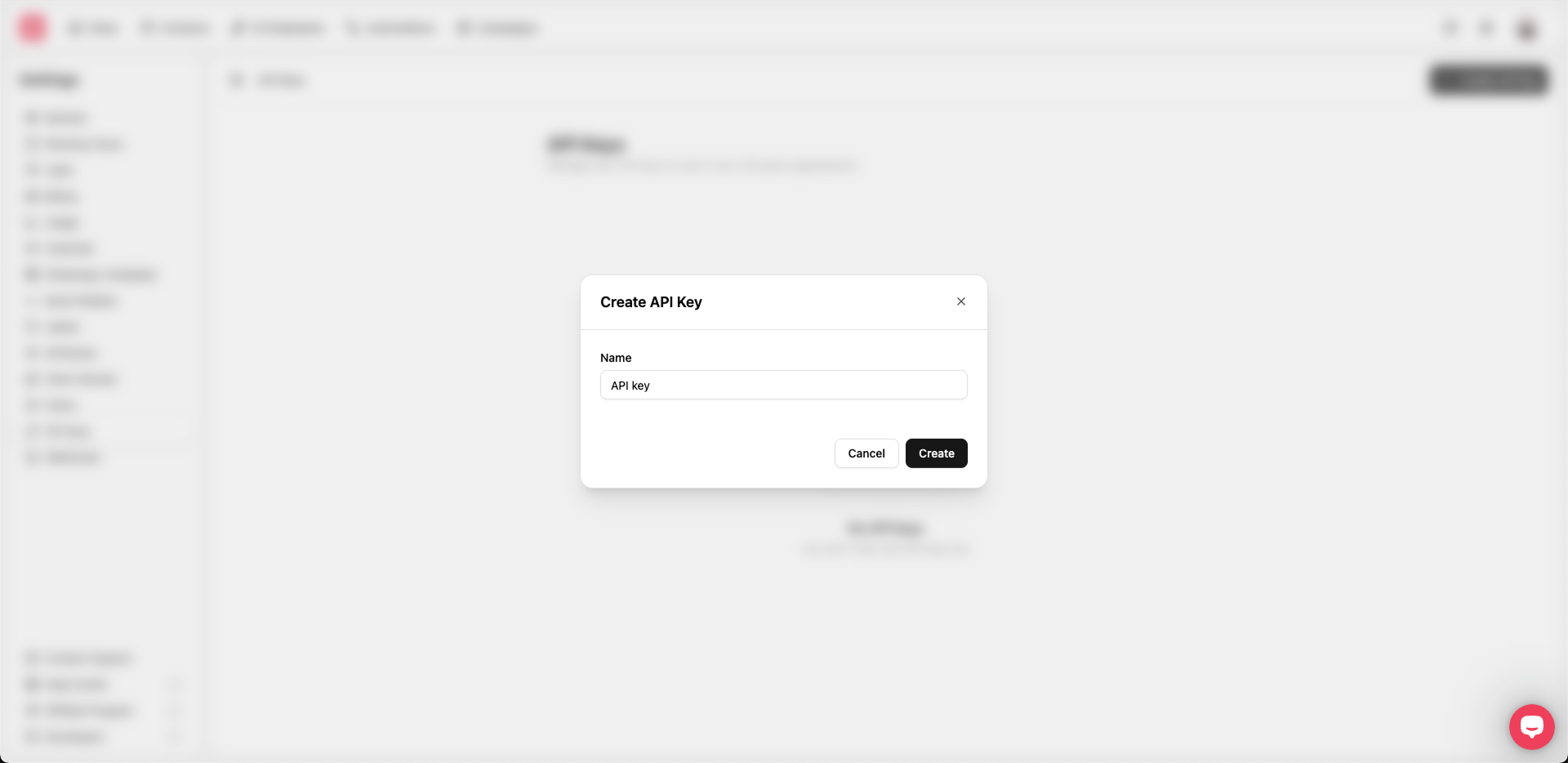 Enter a descriptive **Name** for the key (for example, "CRM integration" or "Website bot"), then click **Create**.
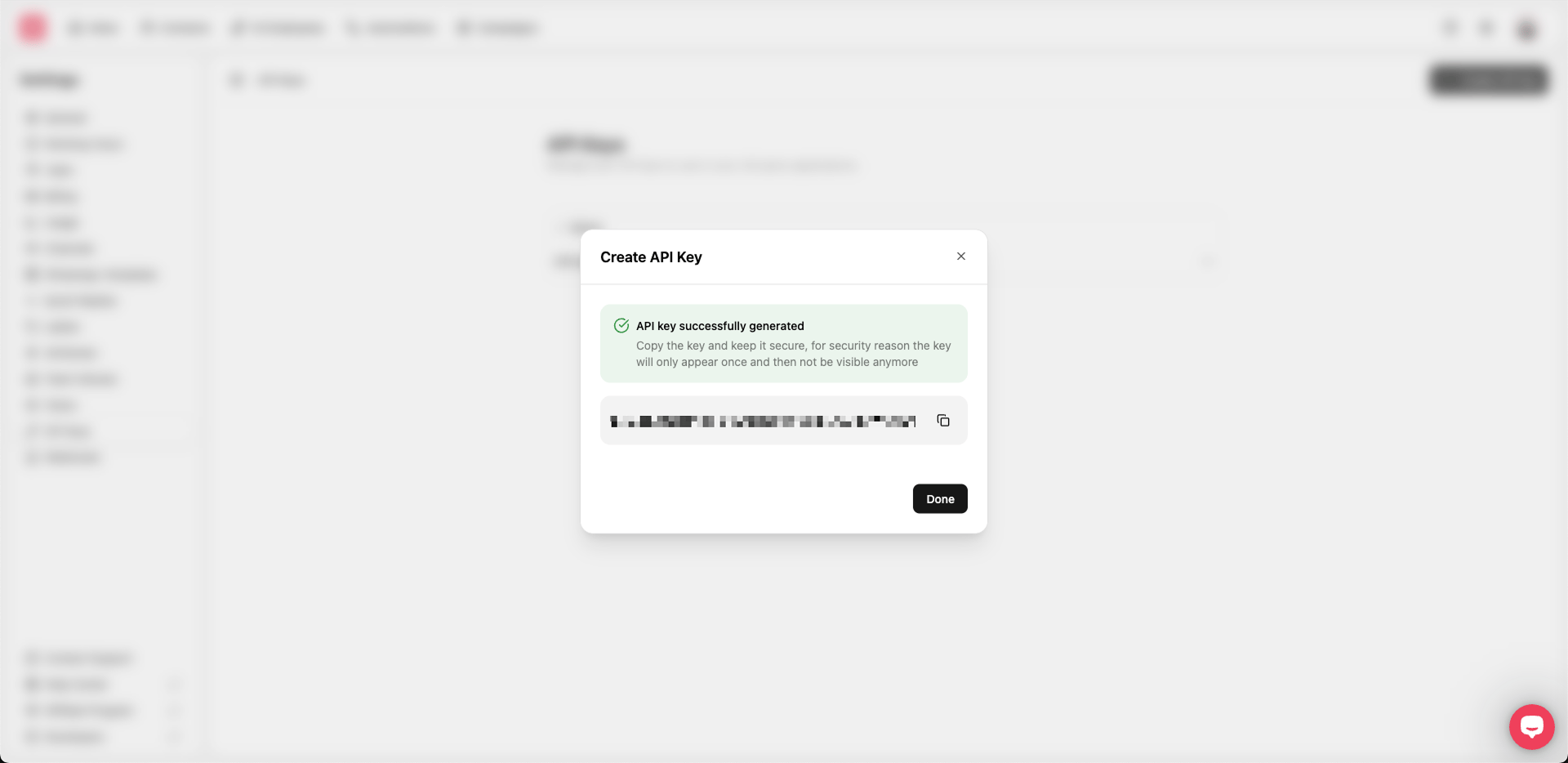 Copy the generated key using the copy button and store it somewhere safe. Click **Done** when you are finished.
> **Important**
> For security reasons, the full key is only shown once when it is created. If you lose it, you will need to create a new key.
## Sending the bearer token
Include your API token in every request using the `Authorization` header with the `Bearer` scheme:
```bash theme={null}
curl https://api.heyy.io/v3/... \
-H "Authorization: Bearer "
```
Guidelines:
* Always send requests over **HTTPS**. Requests over `http://` may fail or be rejected.
* Keep your API tokens secret and **never** embed them in client-side code or public repositories.
* If you suspect a token is compromised, revoke it in the Heyy dashboard and create a new one.
All operations allowed by the Heyy API are scoped to your account, so any request made with your token has access to your workspace data.
Copy the generated key using the copy button and store it somewhere safe. Click **Done** when you are finished.
> **Important**
> For security reasons, the full key is only shown once when it is created. If you lose it, you will need to create a new key.
## Sending the bearer token
Include your API token in every request using the `Authorization` header with the `Bearer` scheme:
```bash theme={null}
curl https://api.heyy.io/v3/... \
-H "Authorization: Bearer "
```
Guidelines:
* Always send requests over **HTTPS**. Requests over `http://` may fail or be rejected.
* Keep your API tokens secret and **never** embed them in client-side code or public repositories.
* If you suspect a token is compromised, revoke it in the Heyy dashboard and create a new one.
All operations allowed by the Heyy API are scoped to your account, so any request made with your token has access to your workspace data.